


Table of Contents
ToggleThe easiest way to import WooCommerce products and automatically generate product descriptions is to combine a bulk product importer with an AI content generator. Import products from CSV files, Google Sheets, ERP systems, or supplier feeds, then let AI create unique, SEO-friendly descriptions based on each product’s title, specifications, and attributes.
For many WooCommerce store owners, importing products isn’t the biggest challenge – writing hundreds of unique product descriptions is. Manually creating content takes time, while copying supplier descriptions often results in duplicate content and poor SEO performance.
By combining automated imports with AI-generated descriptions, you can publish large product catalogs in minutes, improve search visibility, and save hours of manual work.
In this guide, you’ll learn how to import WooCommerce products, generate AI-powered descriptions in bulk, and automate your product publishing workflow.
The Professional Solution for Automated Product Import & AI Descriptions
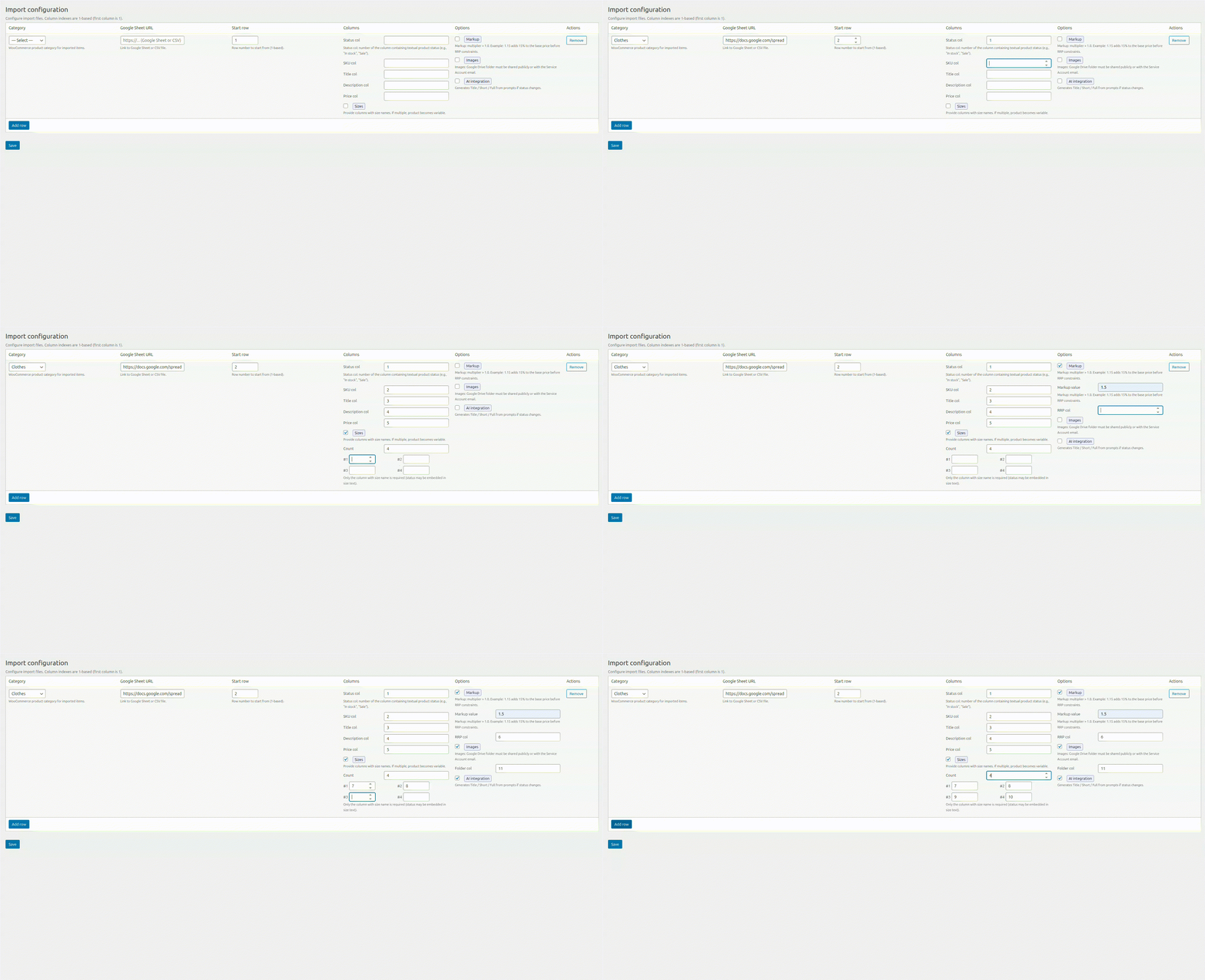
That’s exactly the challenge DITS.agency’s team sets out to solve. Instead of treating product import and content creation as two disconnected headaches, we built a professional solution: the AI-Powered Google Sheets to WooCommerce Product Importer.
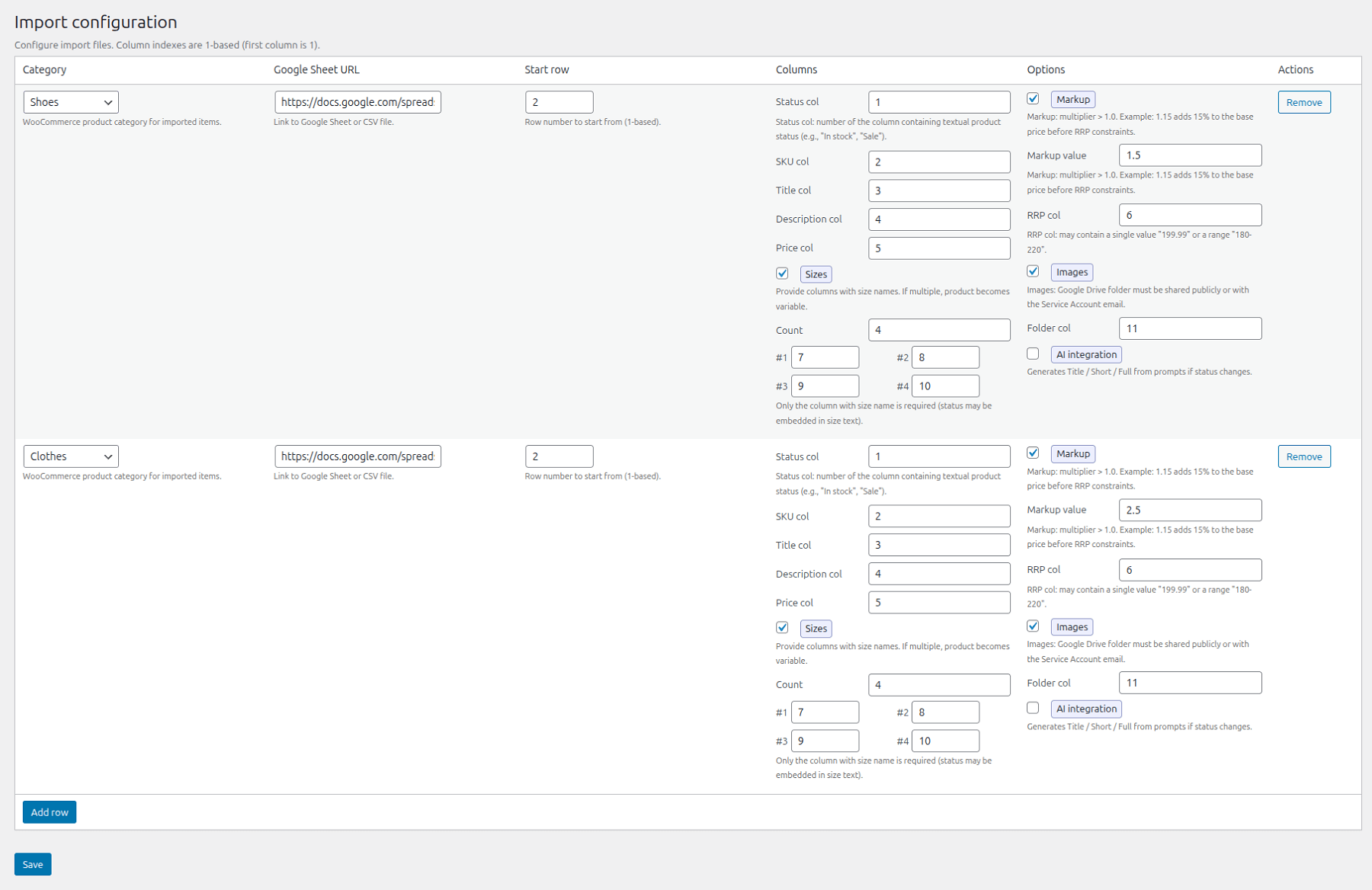
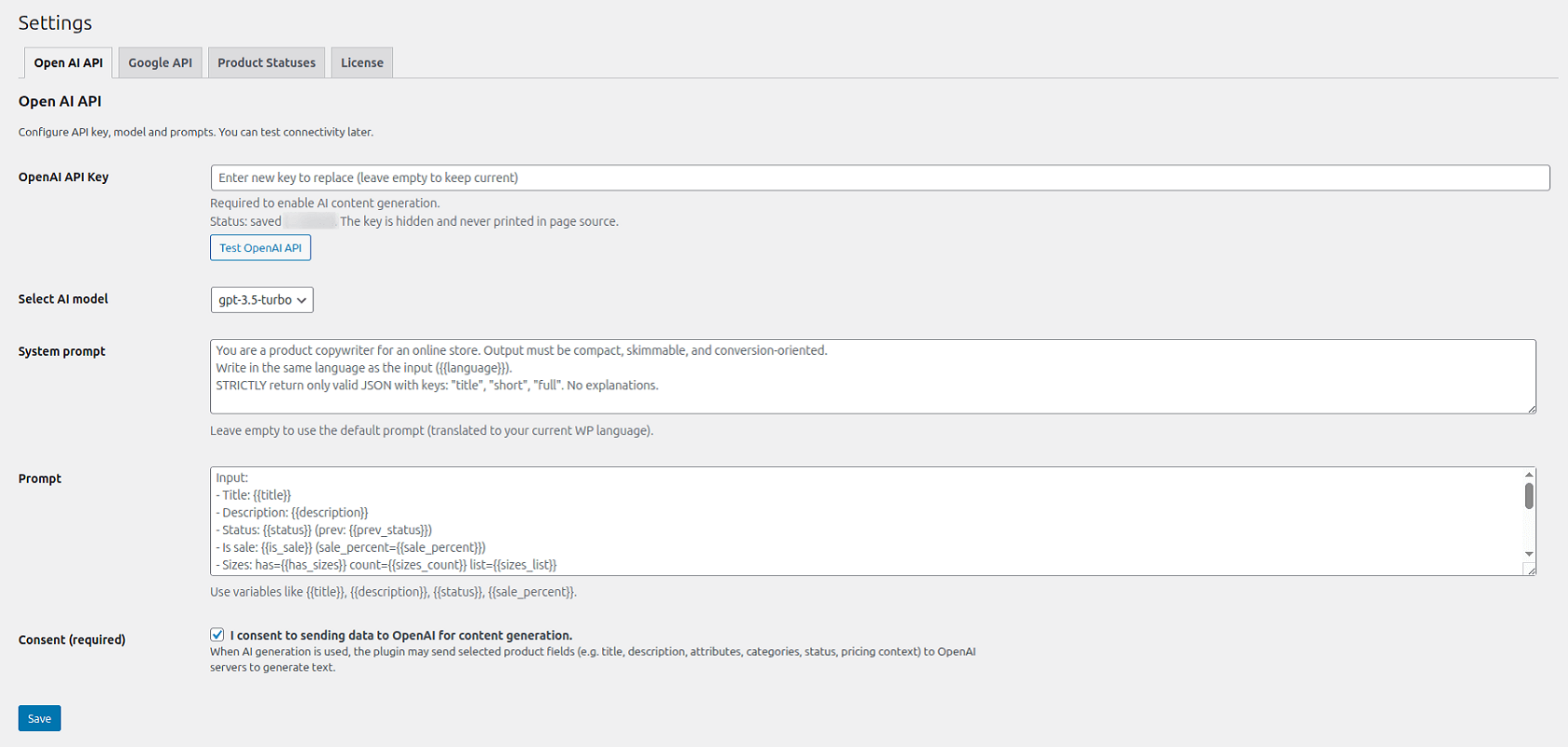
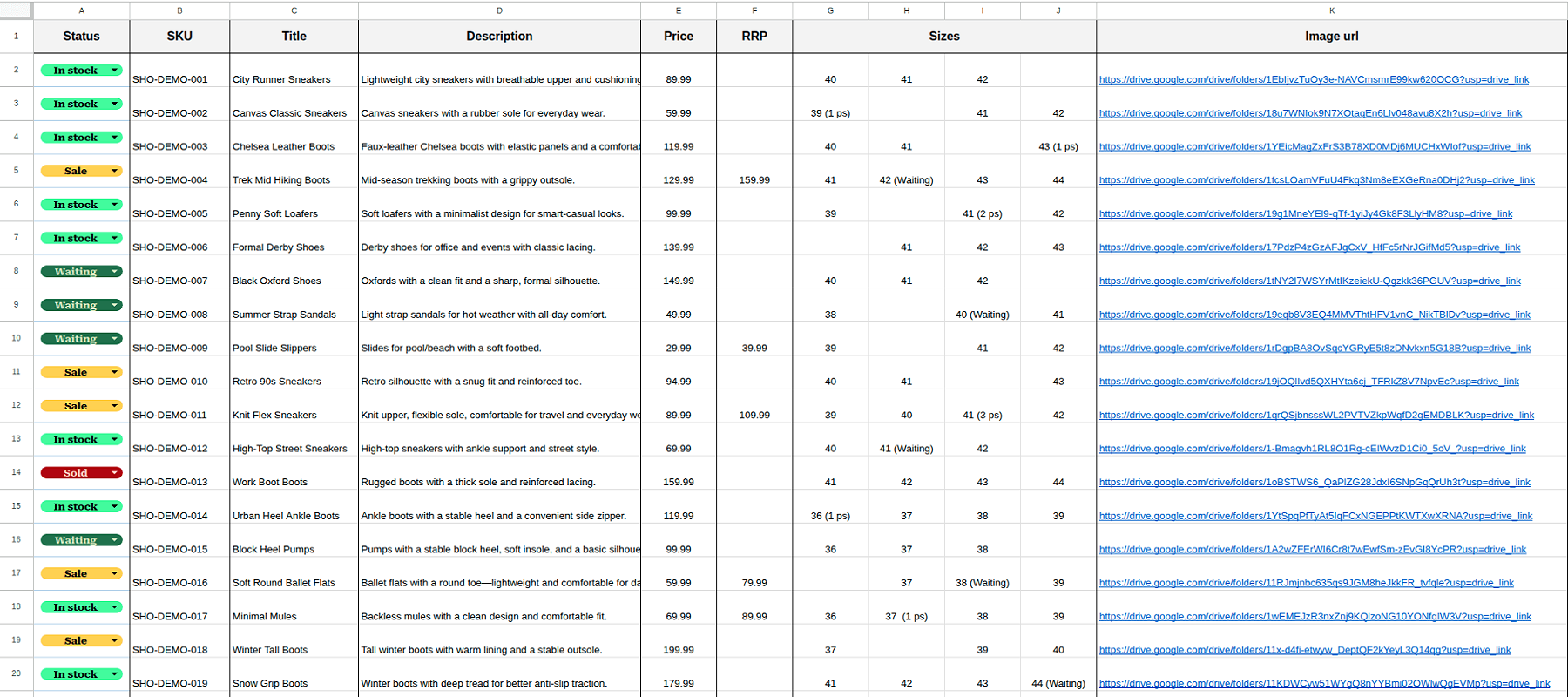
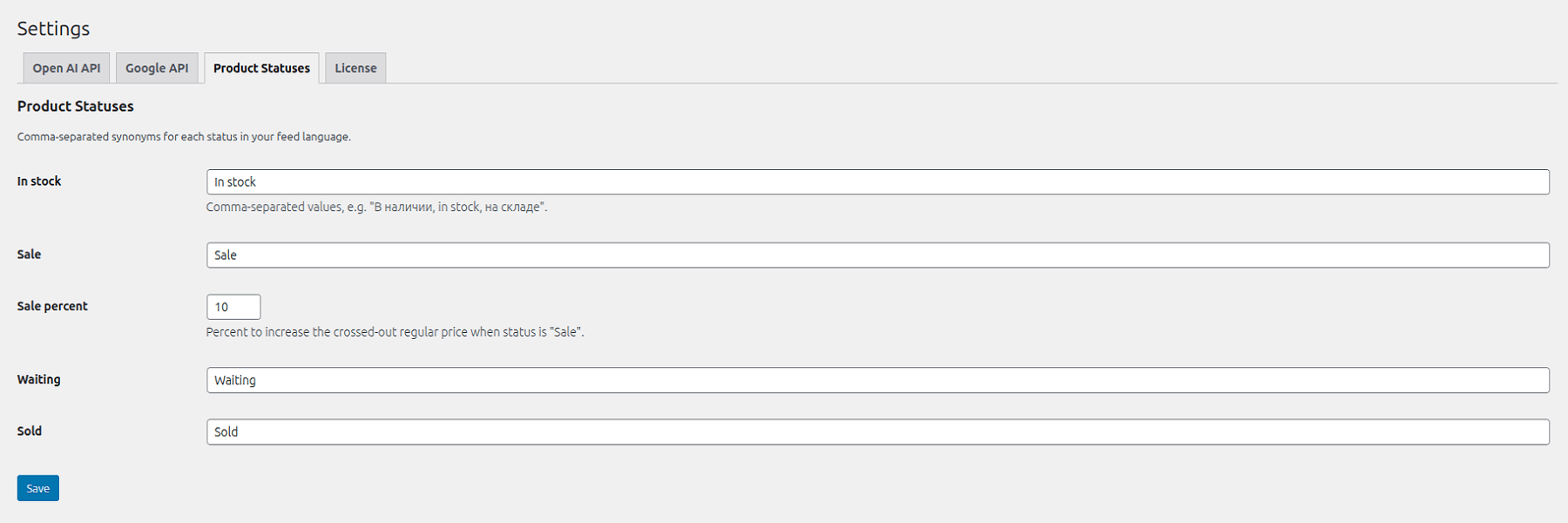
Our approach allows WooCommerce store owners to import products and generate structured, SEO-ready descriptions simultaneously – without breaking formatting, losing consistency, or manually rewriting content afterward. By connecting Google Sheets with WooCommerce and integrating AI-driven content generation directly into the import pipeline, we’ve created a system designed for high-volume growth. With this tool, your product data, attributes, pricing, and AI-generated descriptions are synchronized from a single “source of truth,” making bulk updates fast, controlled, and reliable.
Market Landscape: Why Integration Matters
To understand the value of a unified workflow, let’s look at the current tools available:
Data Importers (Without Native AI)
WP All Import (+ WooCommerce Add-On): A powerful data importer for CSV/Excel and Google Sheets (via URL). However, it remains a data transport tool, not an AI content assistant.
GSheet For Woo Importer: A simple plugin that extends standard WooCommerce imports from Google Sheets. It focuses on the “move,” not the “creation” of professional AI copy.
WP Sheet Editor + Google Sheets Sync: Offers a strong “manage products like a table” workflow, but AI generation is typically separate rather than a native part of the import flow.
Standalone AI Tools (Without Integrated Import)
Standalone AI Tools (Without Integrated Import)
AI Product Tools & WriteText.ai: These tools help generate bulk AI content (descriptions, meta tags) inside WordPress, but they don’t solve “Import + AI Description” as a single, unified workflow from an external sheet.
Integration Platforms
n8n / Zapier: You can build a “Google Sheet → AI → WooCommerce” bridge. While effective, it requires additional infrastructure, ongoing maintenance, and external platform dependencies.
Also, you can read:Zero Search Results: What Your Visitors Are Looking For – but Never Finding
Why the AI-Powered Google Sheets to WooCommerce Product Importer is Different
Our plugin wins because it merges three critical functions into one process:
- Google Sheets as the Master Control: Manage all your data in a familiar, collaborative environment.
- Automated WooCommerce Sync: Scheduled updates for prices, stock, and attributes.
- Native AI Assistant: Generates a WooCommerce AI product description for every item exactly when it’s being imported or updated.
Feature Comparison Table
| Feature | AI-Powered Google Sheets to WooCommerce Product Importer | WP All Import | WP Sheet Editor + Sync | AI Product Tools | Zapier Workflow |
| Import from Google Sheets | ✅ Native integration | ⚠️ Via CSV/URL | ✅ Yes | ❌ No | ⚠️ Requires setup |
| AI Product Description Generation | ✅ Native AI Assistant | ❌ No | ❌ No | ✅ Yes | ⚠️ External API |
| AI + Import in One Workflow | ✅ Yes | ❌ No | ❌ No | ❌ No | ❌ No |
| Centralized Data Management | ✅ Yes | ❌ No | ⚠️ Partial | ❌ No | ⚠️ Indirect |
| Ease of Setup | ✅ Simple | ⚠️ Technical | ⚠️ Medium | ✅ Easy | ❌ Complex |
AI-Powered Google Sheets to WooCommerce Product Importer vs WP All Import, WP Sheet Editor + Sync, AI Product Tools, and Zapier Workflow
Also, you can read: How to Boost Ecommerce Seo with Internal Linking
Why WooCommerce AI Product Descriptions Improve SEO and Sales
Using a WooCommerce AI product description generator is about much more than just saving time; it’s a direct investment in your bottom line. Search engines reward unique, relevant, and well-structured content.
With AI-powered automation, you can:
- Eliminate Thin Content: Ensure every SKU has a meaty, helpful description.
- Avoid SEO Penalties: Generate unique text to avoid “duplicate content” flags from manufacturer data.
- Optimize for Conversion: AI can be tuned to follow specific “Tone of Voice” and include clear Calls to Action (CTA).
- Maintain Formatting: Use AI to create bulleted lists of features and technical specs automatically.
Why Most AI Tools Fail for Store Owners
Most AI writing tools act as standalone “text boxes.” You generate a description, then you still have to manually copy-paste it into WooCommerce, adjust the formatting, and check the attributes. This creates a massive bottleneck.
Furthermore, standard tools aren’t “aware” of your live product data. If your price changes or a variation goes out of stock, the standalone AI doesn’t know. By using the AI-Powered Google Sheets to WooCommerce Product Importer, the AI has context, allowing for smarter, data-driven descriptions.
Conclusion
Managing a growing store shouldn’t be a struggle against manual data entry. The real breakthrough happens when AI is connected directly to your source of truth.
By combining WooCommerce AI product descriptions with Google Sheets synchronization, you eliminate the biggest bottleneck in e-commerce: content creation. You gain a scalable foundation where every new product is SEO-ready and conversion-optimized from the second it goes live.
Ready to Automate Your Content?
If you’re ready to stop editing and start growing, our team has built the perfect tool for you. Explore how the AI-Powered Google Sheets to WooCommerce Product Importer can transform your workflow and help you launch thousands of products with professional descriptions in record time.