

Description
Why Your Business Needs This Solution
Managing a large WooCommerce catalog manually is time-consuming, error-prone, and difficult to scale. Product data often lives in spreadsheets, while prices, stock levels, descriptions, and SEO content have to be updated separately in WordPress. This creates unnecessary repetitive work, outdated product information, and inconsistent content across your store.
WooCommerce Product Import with AI from Sheets solves this problem by connecting your Google Sheets product database directly to WooCommerce and automating the entire workflow. Import and update products, synchronize prices and inventory, and generate SEO-ready product descriptions with AI — all from one streamlined process. Instead of spending hours maintaining your catalog, your team can focus on sales, customers, and business growth.
Advantages of Using the “WooCommerce Product Import with AI from Sheets” Plugin
- Save Time on Product Management. Automate repetitive product imports and updates instead of manually entering the same information into WooCommerce.
- Keep Your Catalog Accurate. Connect Google Sheets with WooCommerce and keep product information, prices, and stock levels synchronized, reducing outdated or inconsistent data.
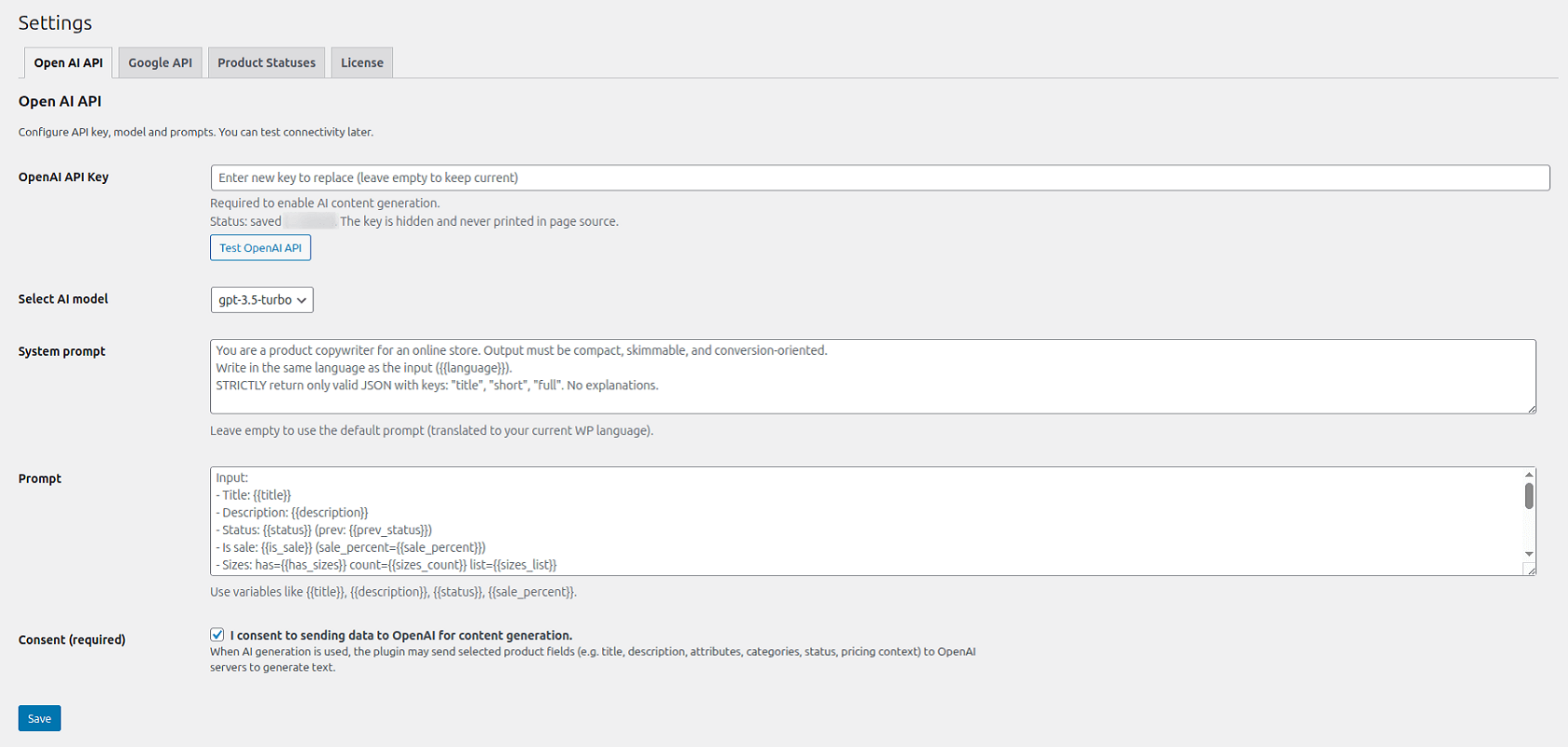
- Generate SEO-Ready Content with AI. Automatically create unique, search-friendly product descriptions using AI. Custom prompts let you maintain your brand voice and content requirements.
- Scale Your Product Catalog Easily. Import and manage large numbers of products without increasing manual workload. Whether you have hundreds or thousands of products, the workflow remains efficient and manageable.
- Automate Product Synchronization. Schedule automatic updates or synchronize changes on demand, so your WooCommerce store always reflects the latest data from your source spreadsheet.
- Manage Everything from One Simple Interface. Control imports, product updates, AI content generation, and synchronization settings from a clear and intuitive dashboard — without complicated technical configuration.
Want to try the free version of our plugin? Get in touch and leave your contact details, and we’ll send it right over.
Configuring AI-Powered Content Sync for WooCommerce
Key Features & Capabilities
Everything you need to manage product imports, inventory updates, and content generation in one streamlined workflow. Built for scalability, accuracy, and day-to-day efficiency in WooCommerce stores of any size.
- Unlimited product imports to scale your catalog without limits or extra fees.
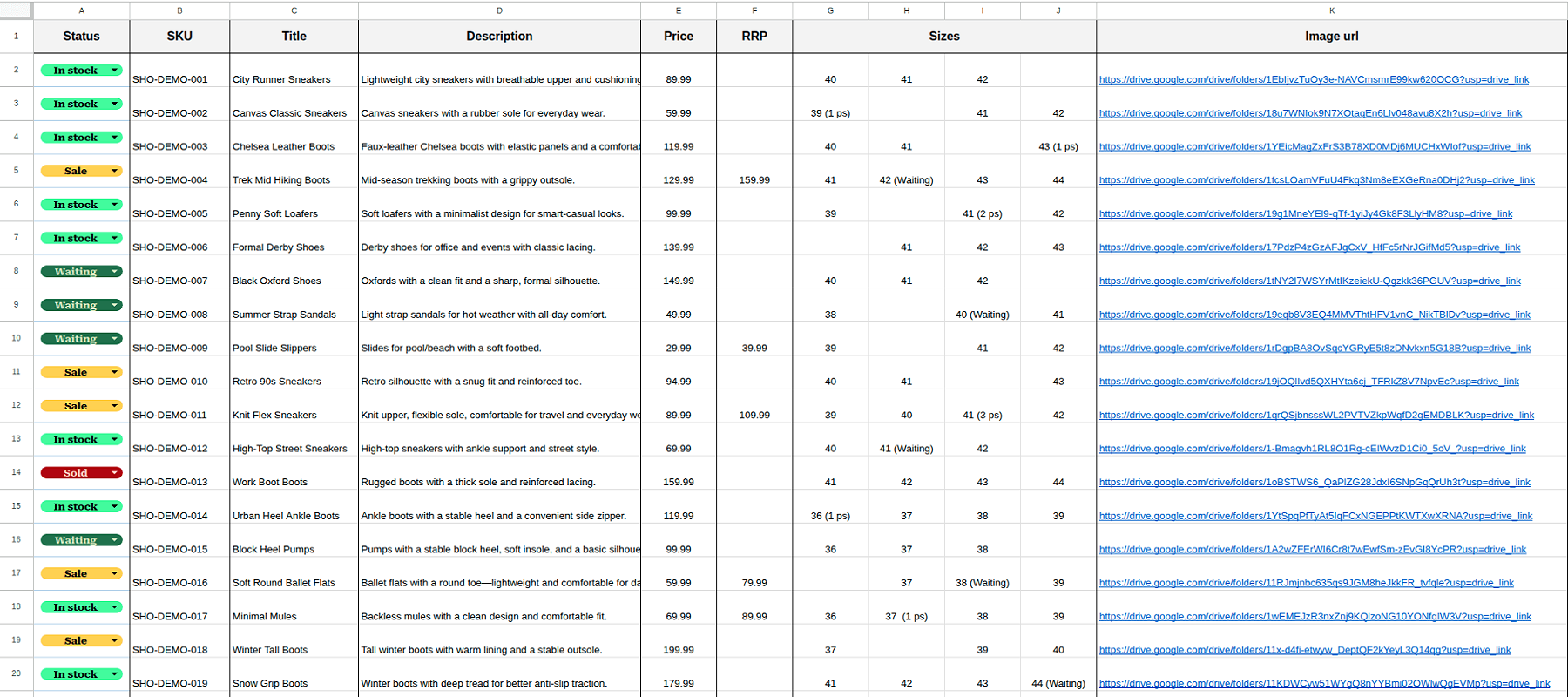
- Automatic product data sync including prices, stock, SKUs, attributes, and images directly from Google Sheets.
- Scheduled inventory updates to keep your store accurate with no manual work.
- AI-powered content generation using built-in prompts or your own, giving you full control over product descriptions.
AI-Powered Google Sheets to WooCommerce Product Importer delivers the efficiency of an entire content management team within a single, powerful plugin.
Screenshots
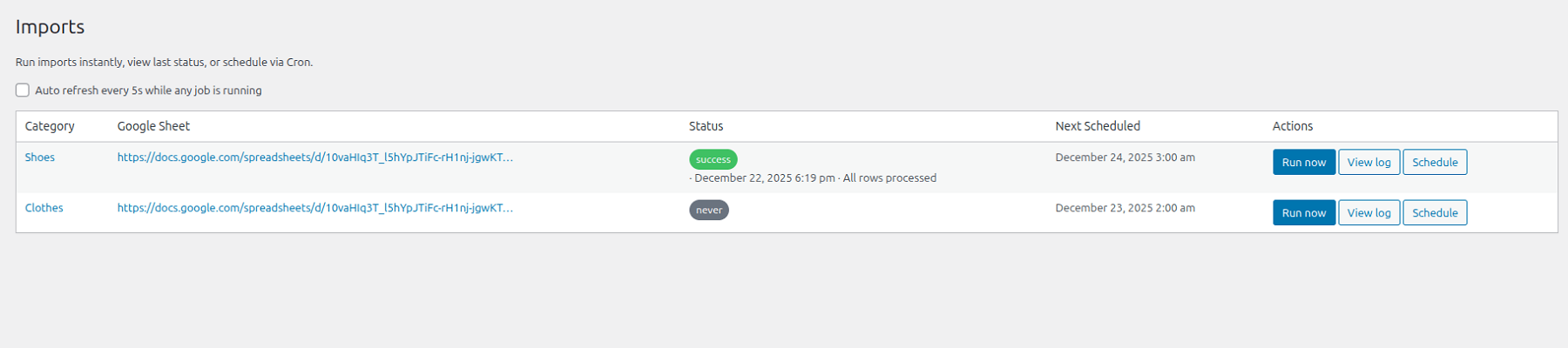
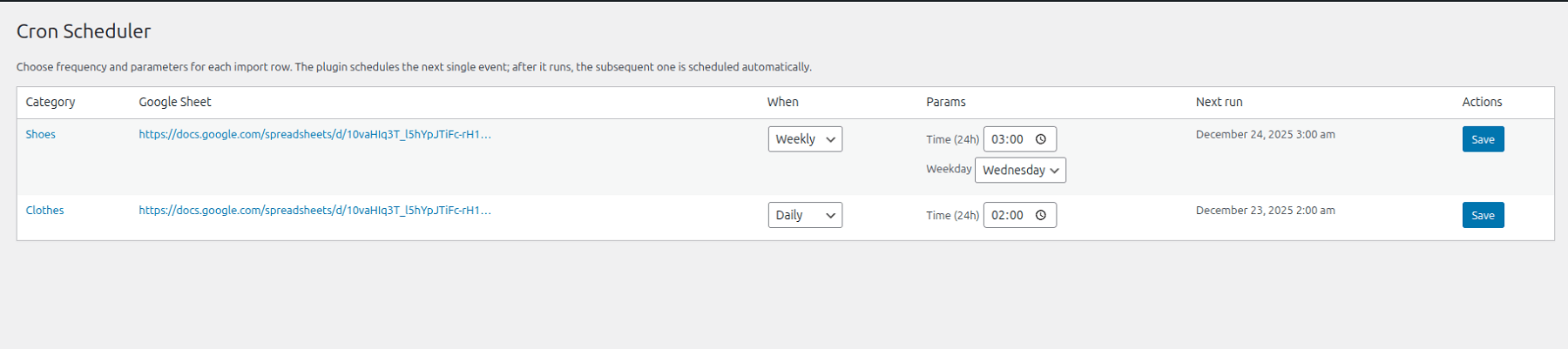
FREE vs PRO: Choose Your Power
Whether you are just starting your e-commerce journey or managing a massive marketplace, we have the right tools to fuel your growth.
Free Version: The Perfect Start
Ideal for small shops and testing out core features. Get a foundational set of automation tools without any initial investment.
- Google Sheets: Connect 1 sheet per website for centralized management.
- Product Capacity: Import unlimited products—we never restrict your catalog size.
- AI Copywriter: Use basic or custom prompts to generate product descriptions automatically.
- Seamless Sync: Direct synchronization of images and galleries from your sheets to WooCommerce.
- Update Mode: Manually trigger synchronization whenever you need it.
- Stability & Speed: Optimized algorithms to handle large datasets without overloading your server.
PRO Version: Maximum Automation
Designed for those who value their time and want to eliminate manual routine entirely. The PRO version transforms your store into a fully autonomous system.
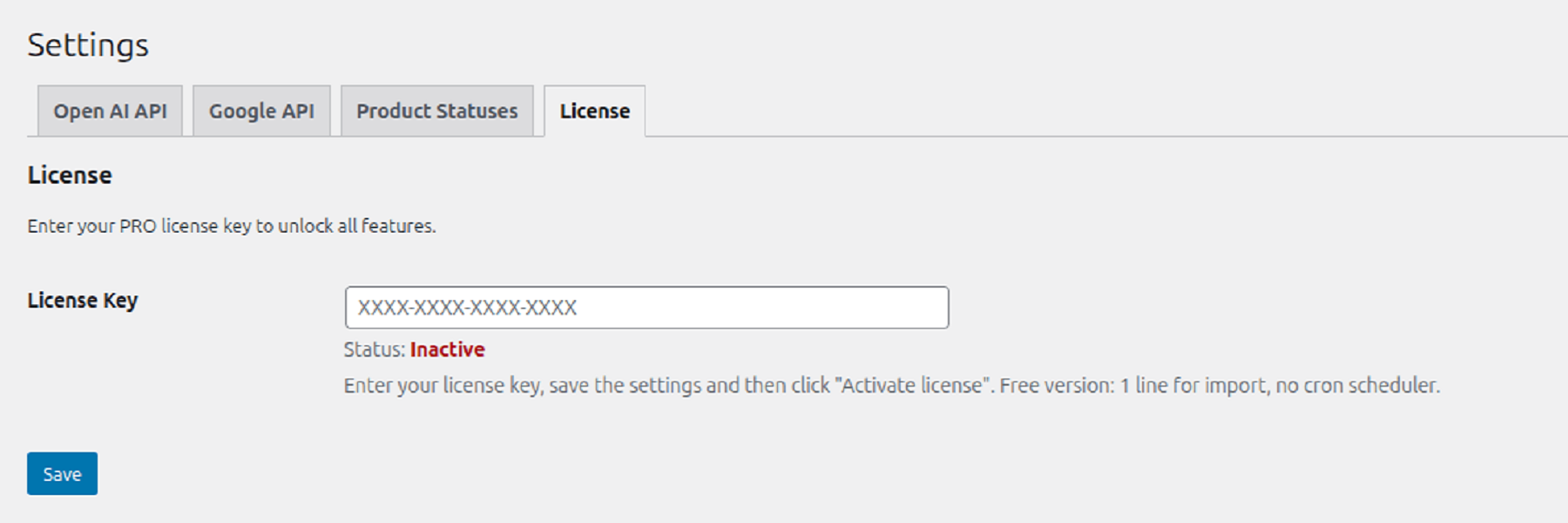
- Unlimited Sheets: Connect as many sheets as you need for different categories or suppliers.
- Full Autonomy: Forget the “Update” button. Set a schedule (daily / weekly / monthly), and the plugin handles everything automatically.
- AI Copywriter: Access the same powerful basic or custom prompts to scale your content generation.
- Limitless Scalability: Seamless support for an unlimited number of products with professional-grade performance.
- Stability & Speed: Enhanced optimization for high-volume data processing, ensuring your server remains fast and responsive.
FREE vs PRO
| Feature | Free Version | PRO Version |
| Google Sheets | 1 Sheet per Website | Unlimited Sheets |
| Product Capacity | Unlimited Products | Unlimited Products |
| Update Mode | Manual Trigger | Automated (Daily/Weekly/Monthly) |
| AI Copywriter | Basic Prompt | Basic Prompt |
| Images & Gallery | Direct Sync | Direct Sync |
How it Works
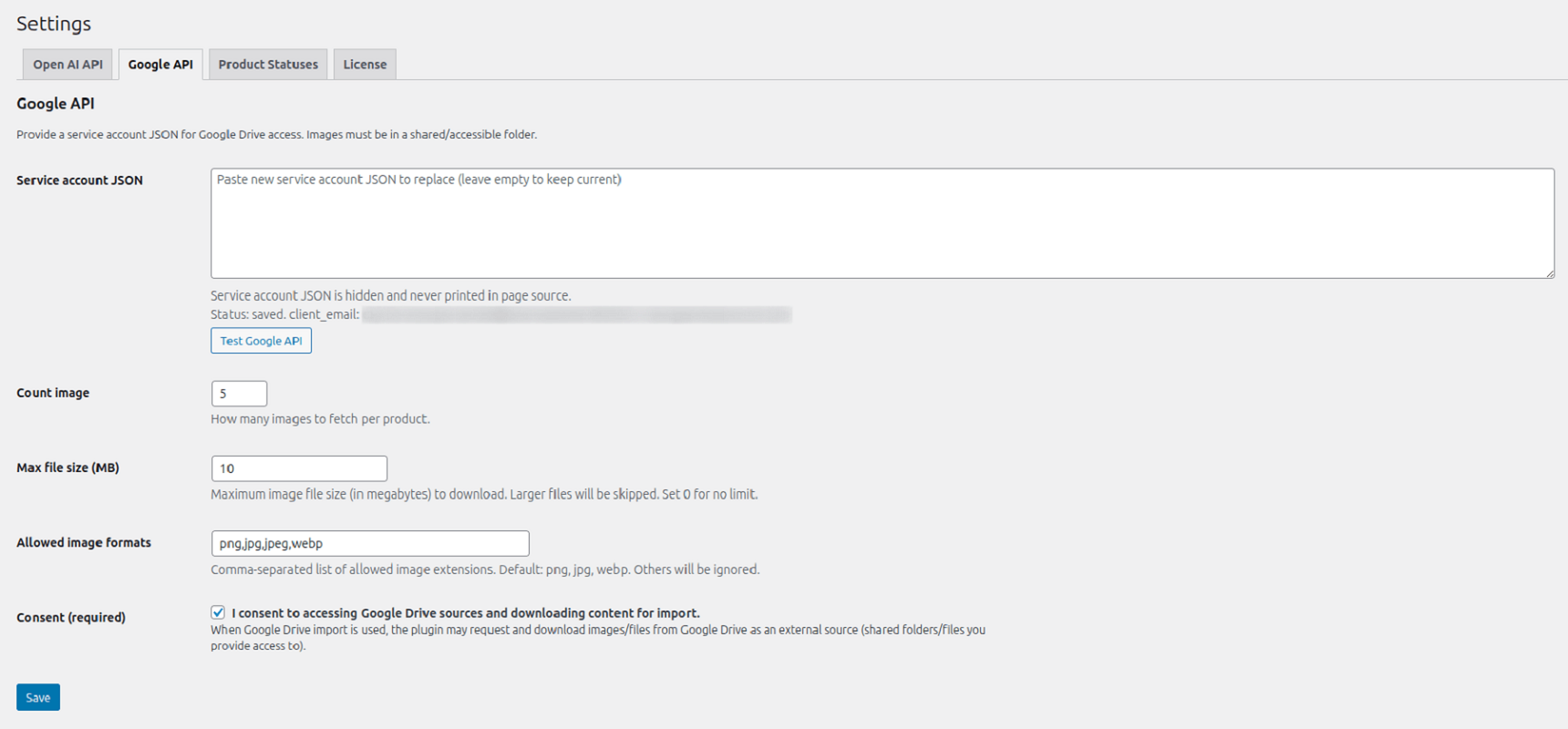
- Installation & Initial Setup. Once the plugin is installed, navigate to the Settings section to configure the core integrations. You will need to provide your OpenAI API key and Google API credentials to enable full functionality.
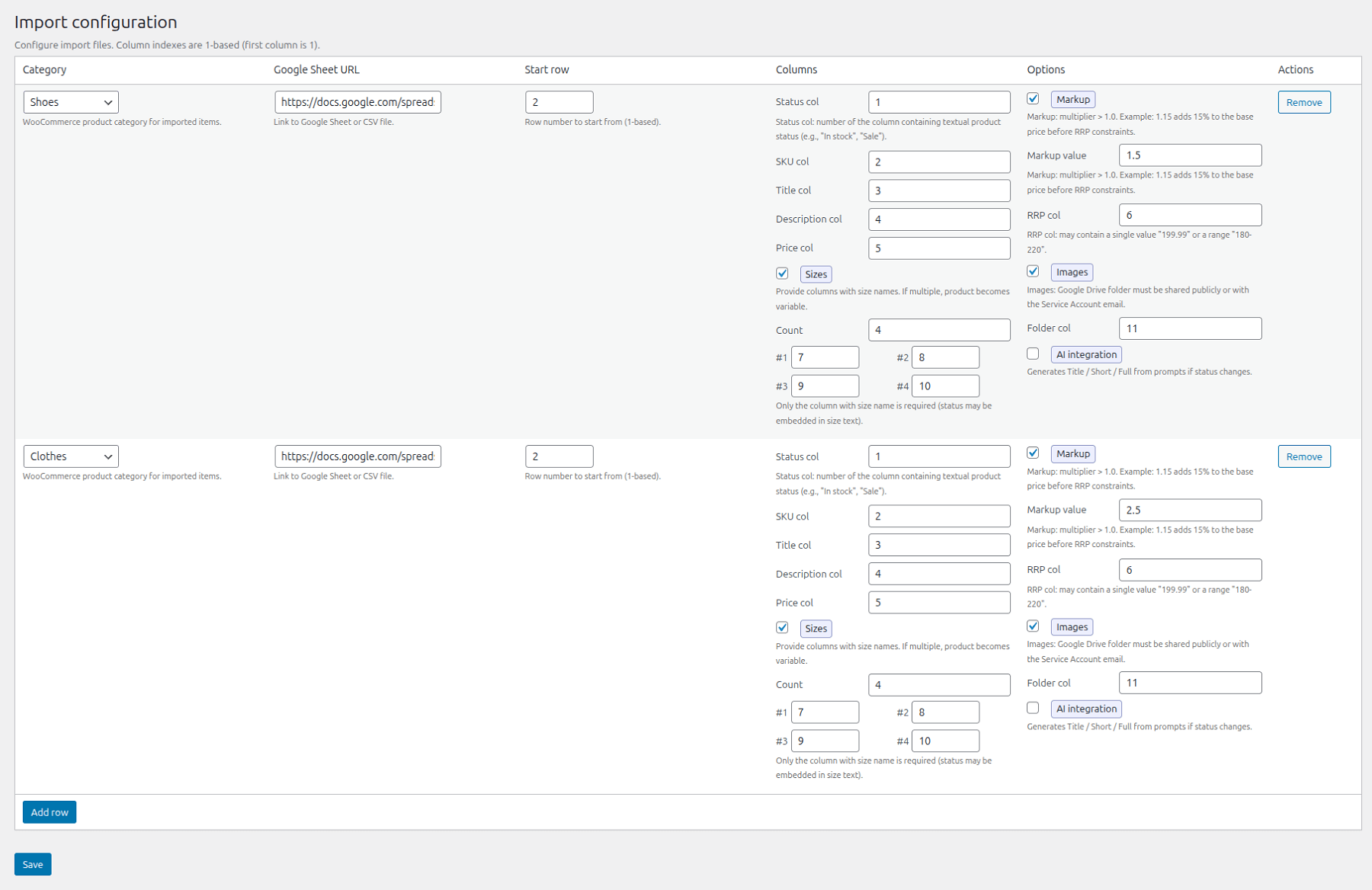
- Configure the Google Sheet Import. Add your data source in the Import section by following these steps:
2.1. Category Selection: Choose the appropriate product category for the import.
2.2. Data Source: Provide the Google Sheet URL.
2.3. Entry Point: Specify the starting row for the data processing.
2.4. Field Mapping: Map your spreadsheet columns to the corresponding WooCommerce fields.
2.5. Size Charts: Attach a size guide table (optional).
2.6. Price Adjustment: Optionally apply a price markup by specifying a coefficient and the column index for the “Recommended Price.”
2.7. Media Sync: Specify the column index for importing images directly from Google Drive.
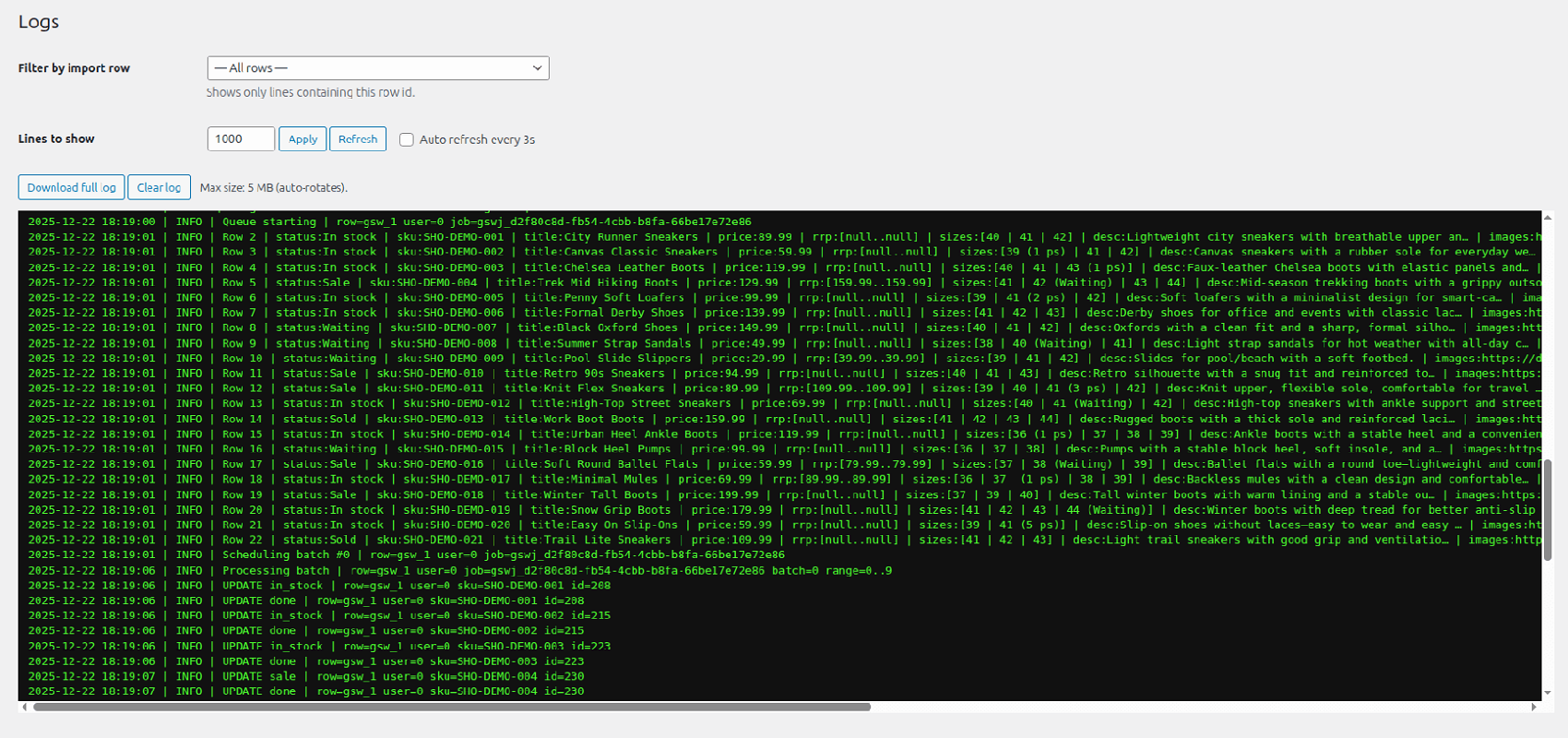
2.8. AI Enhancement: Enable AI content generation to automatically create optimized product descriptions. - Execution & Review Activate the Import/Update process. Once completed, review the results in your WooCommerce store to ensure all data has been synchronized correctly.
Do I need to pay for the OpenAI API to generate descriptions?
Yes, the OpenAI API is a commercial service, and you must have your own API key with a positive balance to generate content.
Which languages are supported by the AI for generating product descriptions?
Content can be generated in the website’s primary language, regardless of which language is used. Furthermore, you have the flexibility to specify a target language within the prompt configurations for content generation.
Can I update only the prices and stock levels without affecting the product descriptions?
Yes. Once a product has been successfully imported into the system, subsequent updates are restricted to stock levels and pricing.
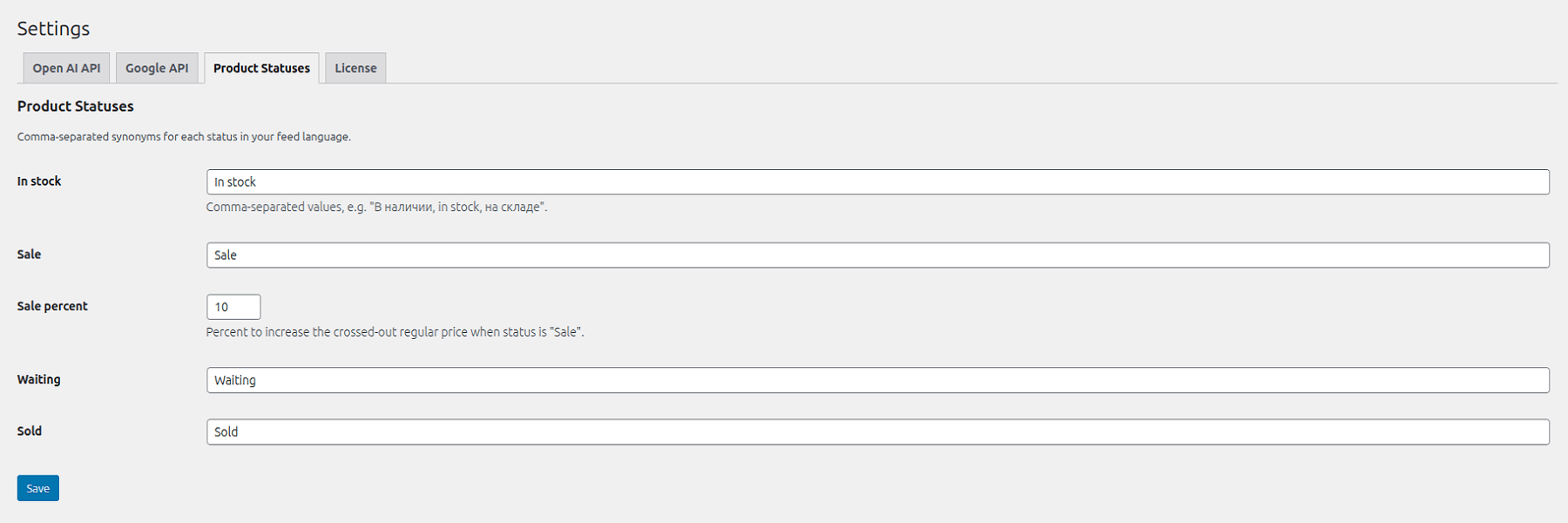
However, there is an automated exception: if a product’s status changes (e.g., from “In Stock” to “Sale” or vice versa), the system will refresh the content to include specific promotional texts. In all other scenarios, only the status, price, and inventory levels are modified, leaving the core descriptions untouched.
How many products can I import at once?
There are no technical limitations imposed by the plugin. Thanks to an optimized codebase, the plugin processes data in manageable chunks (batches), which prevents server overload even when importing thousands of items simultaneously. You can import an unlimited number of products, including files containing well over 1,000 entries.
Is it safe to connect Google Sheets to my website?
Yes, the process is entirely secure. The plugin operates via an encrypted connection to ensure data integrity. By using the “view-only” access protocol for your links, you maintain the confidentiality of your commercial data while preventing unauthorized modifications.
Furthermore, the system implements a strict multi-stage validation process: all data is thoroughly checked for errors and security vulnerabilities before it is imported. Only verified data is uploaded to your website, ensuring a safe and reliable synchronization.
Is the plugin interface available in different languages?
Yes! To ensure the best user experience, we have fully translated the plugin interface into English, Spanish, Ukrainian, and Russian. You can manage all your import settings in your native language.