Description
Subtasks Creator from Checklist for Perfex CRM
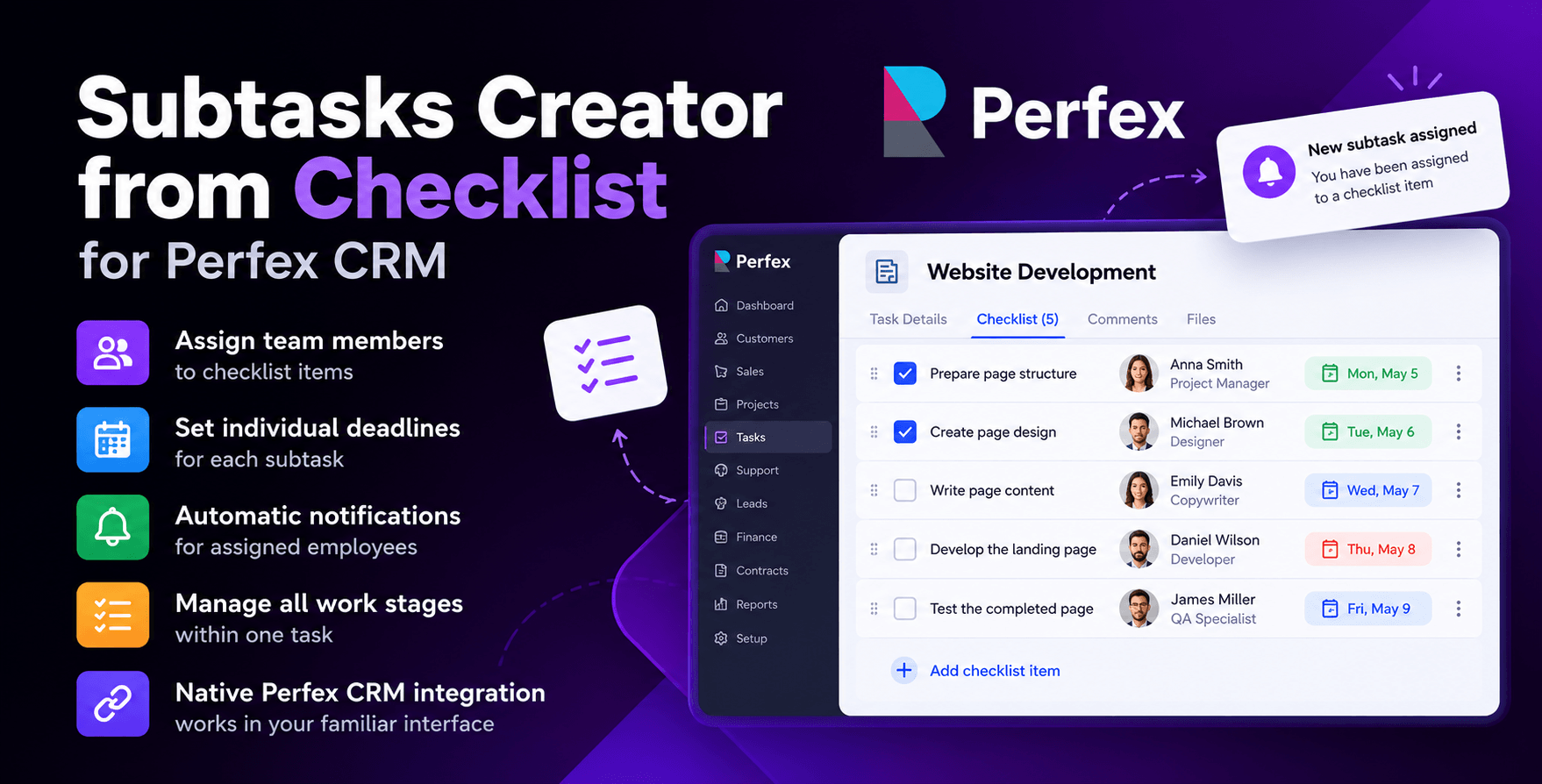
Manage subtasks directly within Perfex CRM checklists. Assign team members, set individual deadlines, and automatically notify employees. In standard Perfex CRM, checklists help break tasks into smaller steps, but they don’t allow you to assign a separate team member or deadline to each checklist item. When several specialists work on the same task, project managers often need to create additional tasks or manually coordinate responsibilities.
Subtasks Creator from Checklist, developed by DITS.Agency, solves this problem by extending the functionality of standard Perfex CRM checklists. It allows teams to assign responsibilities and manage multiple stages of work within a single parent task.
Want to see how it works in practice? Explore the interactive Perfex CRM Live Demo to test all features.
Demo credentials are pre-filled automatically – simply click the Login button to get started.
Key Features
Assign Team Members to Individual Checklist Items
Assign a responsible team member to each checklist item. For example, you can assign the design mockup to a designer, content writing to a copywriter, and page implementation to a developer. This makes responsibilities clear without creating separate tasks for every stage of the project.
Set Individual Deadlines
Set a separate due date for each checklist item, independently of the parent task’s deadline. This is particularly useful for workflows involving multiple stages that need to be completed in a specific order.
Automatic Employee Notifications
Employees automatically receive notifications when they are assigned to checklist items. The module also notifies the next responsible team member when the preceding subtask is completed, provided the next assignee is different. This helps keep work moving without requiring project managers to manually notify employees at every stage.
Manage All Work Stages Within One Task
Instead of creating numerous small tasks, organize the entire workflow using a single checklist with assigned team members and individual deadlines. This helps reduce task list clutter and simplifies team coordination.
Seamless Integration with Perfex CRM
The module works directly within the familiar Perfex CRM task management interface. You can assign team members and manage deadlines from the checklist itself without switching to external tools or systems.


How Does It Work in Practice?
Imagine your team is developing a new landing page. The project involves a project manager, designer, copywriter, developer, and QA specialist.
Instead of creating separate tasks for each specialist, you can create one parent task in Perfex CRM called Landing Page Development and organize the workflow using checklist items.
| Checklist Item | Assigned To | Deadline |
|---|---|---|
| Prepare page structure | Project Manager | Monday |
| Create page design | Designer | Tuesday |
| Write page content | Copywriter | Wednesday |
| Develop the landing page | Developer | Thursday |
| Test the completed page | QA Specialist | Friday |
Each team member receives an assignment notification, while the project manager can see all responsibilities and deadlines within the parent task. This approach can be used for SEO projects, advertising campaigns, website development, client support, and other multi-stage workflows.
Who Is Subtasks Creator from Checklist For?
The module is particularly useful for:
- Digital marketing agencies: Coordinate tasks across SEO, PPC, content, and design teams.
- Development teams: Organize design, development, and testing within a single task.
- Project managers: Manage multi-stage workflows involving several team members.
- Service companies: Simplify recurring processes and internal task assignments.
Why Use Subtasks Creator from Checklist?
Subtasks Creator from Checklist helps reduce the administrative work involved in managing team assignments. Instead of creating separate tasks and manually notifying employees, project managers can assign responsibilities directly within an existing checklist. Each team member receives a clearly defined assignment, while information about responsibilities and deadlines remains accessible within the parent task.
Developed by DITS.Agency, the module is designed for teams that use Perfex CRM and want a more efficient way to organize and coordinate their daily workflows.
Improve project visibility, simplify reporting, and save time on manual data analysis. Get the Projects Time Report Module for Perfex CRM today.
Can I assign different employees to checklist items within the same task?
Yes. Each checklist item can have its own assigned team member, independently of other items within the parent task. Only employees who are already assigned to the parent task can be selected as subtask assignees.
Can I set separate deadlines for individual checklist items?
Yes. You can set an individual due date for each checklist item, independently of the parent task’s deadline.
Do employees receive notifications?
Yes. The module automatically sends notifications in the following situations:
- When an employee is assigned to a checklist item: The assigned team member receives a notification about their new responsibility.
- When the previous subtask is completed: The next assigned employee receives a notification when the preceding checklist item is marked as complete and it is their turn to begin work, provided they are different from the previous assignee.
This helps employees stay informed about their assignments and the progress of sequential tasks.
Do I need to create separate tasks in Perfex CRM?
No. You can manage smaller work stages using checklist items with individual assignees and deadlines. If necessary, you can still create separate tasks using the standard Perfex CRM functionality.
Does the module replace standard Perfex CRM tasks?
No. Subtasks Creator from Checklist extends the functionality of existing checklists and works within the standard Perfex CRM task management interface.