
Description
What Is FieldCheck: Metafields?
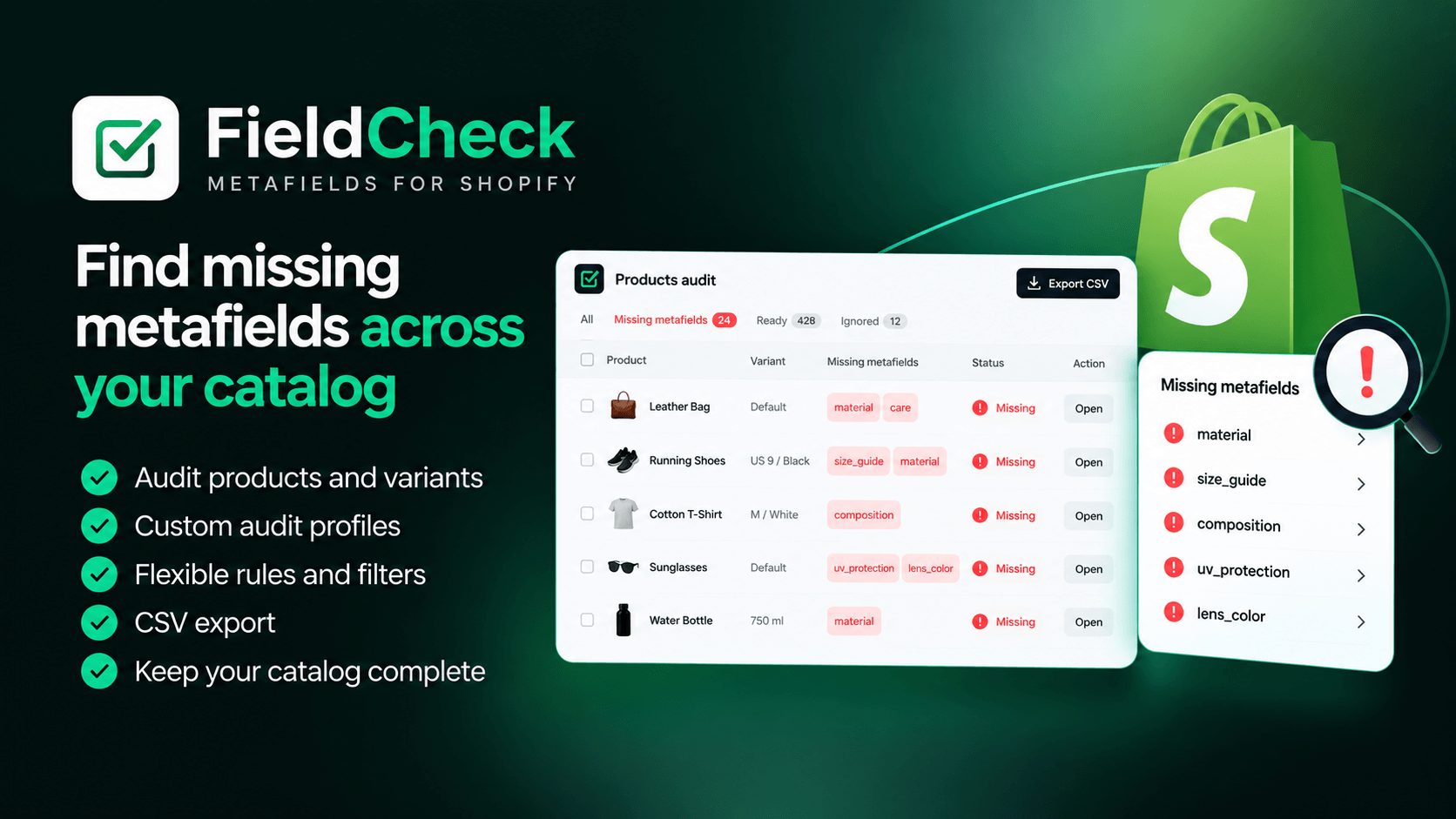
FieldCheck is a Shopify app for checking whether the metafields your store relies on are actually filled in across products and variants. In many Shopify stores, metafields are used far beyond simple product descriptions. They can control product specifications, filters, custom sections, variant-related logic, theme components, and data used in product feeds. As the catalog grows, keeping all of these fields complete becomes increasingly difficult.
FieldCheck gives you a simple way to audit that data in bulk and quickly see which products or variants are missing required metafields. Instead of checking products one by one, you get a clear overview of what is incomplete and where attention is needed.
Want the free version? Contact us and we’ll help you get started.
Why Shopify Stores Need FieldCheck
Shopify stores often rely on metafields for product specifications, filters, custom sections, variant data, and product feeds. The problem is that missing metafields are easy to overlook. A product may look fine in Shopify Admin, while on the storefront it can lose important content, behave incorrectly in filters, or send incomplete data to external feeds.
For example, a missing metafield can result in:
- missing product specifications;
- empty or broken product-page sections;
- incomplete filters;
- missing product or variant data;
- incomplete feed information;
- inconsistent behavior across products using the same template.
For stores with hundreds or thousands of products, checking all of this manually is not realistic.
FieldCheck helps you quickly find products and variants with missing required metafields, so you can fix the issues before they affect the storefront, feeds, or customer experience.
What Can You Use FieldCheck For?
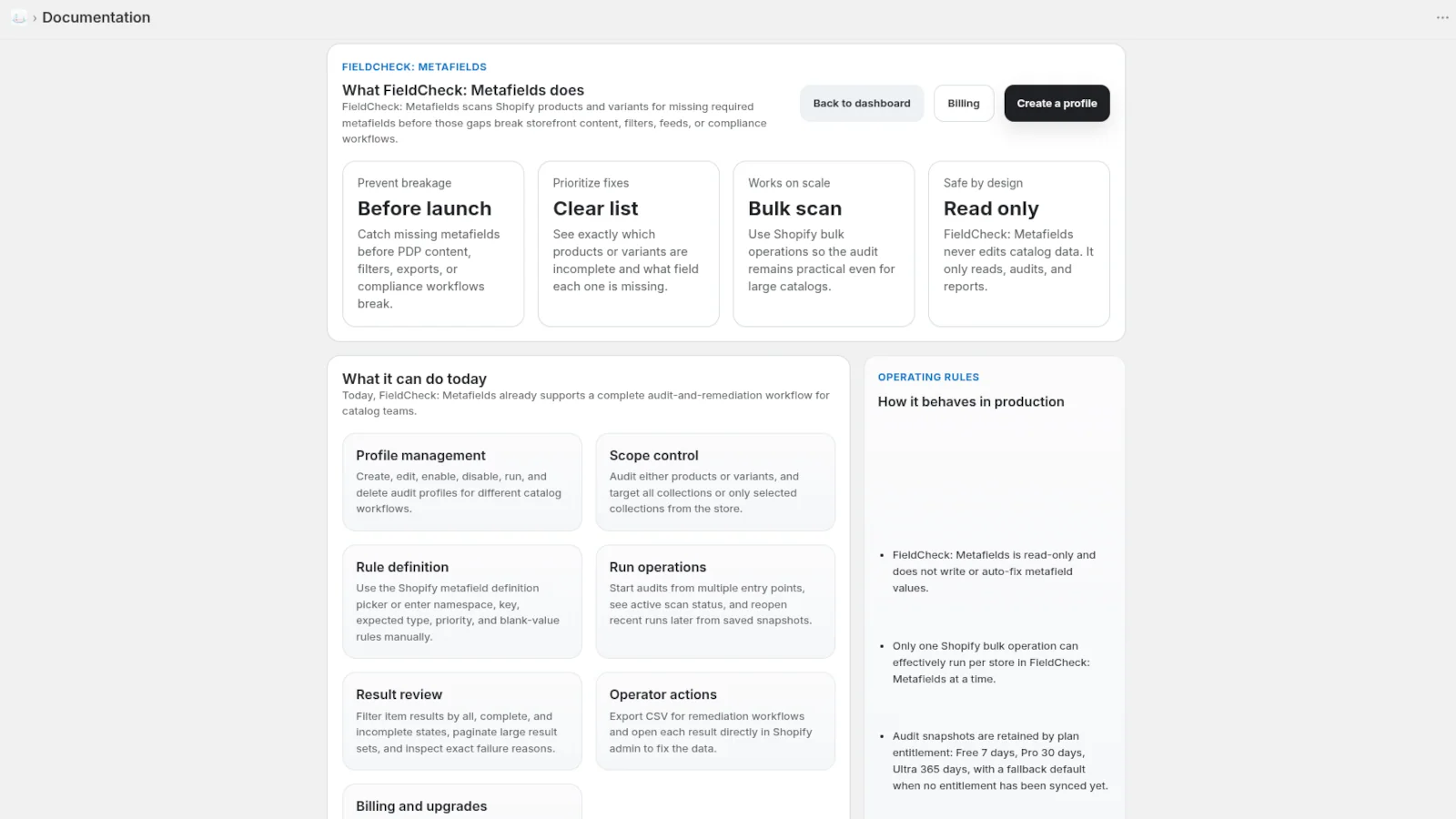
FieldCheck can be used anywhere your Shopify store depends on consistent metafield data.
- Product Content. Check that required specifications, additional descriptions, materials, dimensions, care instructions, or other product-specific fields are filled in.
- Product Filters. Audit metafields used for storefront filtering and identify products that are missing the values required for consistent navigation.
- Product Page Sections. Check the data used by custom sections and blocks so that the same template works consistently across different products.
- Product and Variant Data. Audit not only products, but also variants when your store relies on variant-level metafields.
- Product Feeds. Check fields that are used when preparing product information for external feeds, including data that may be used for Google Merchant Center.
- Internal Catalog Rules. Create your own set of required fields and use FieldCheck as a quality-control check before products are published or updated.
Pricing
Choose the plan that best fits your business.
| Free | PRO | Ultra |
|---|---|---|
| Free | €4.49 EUR / month (or €44.94 EUR/year and save 17%) | €17.97 EUR / month (or €179.74 EUR/year and save 17%) |
| Features | Features | Features |
| ✓ 1 active profile | ✓ 10 active profiles | ✓ 50 active profiles |
| ✓ Products only | ✓ Products and variants | ✓ Products and variants |
| ✓ 5 required fields per profile | ✓ 25 required fields per profile | ✓ 100 required fields per profile |
| ✓ 3 selected collections | ✓ 50 selected collections | ✓ 250 selected collections |
| ✓ No CSV export | ✓ CSV export included | ✓ CSV export included |
| ✓ 7 day snapshot retention | ✓ 30 day snapshot retention | ✓ 365 day snapshot retention |
| 7-day free trial | 7-day free trial |
How FieldCheck Works
Using FieldCheck is straightforward.
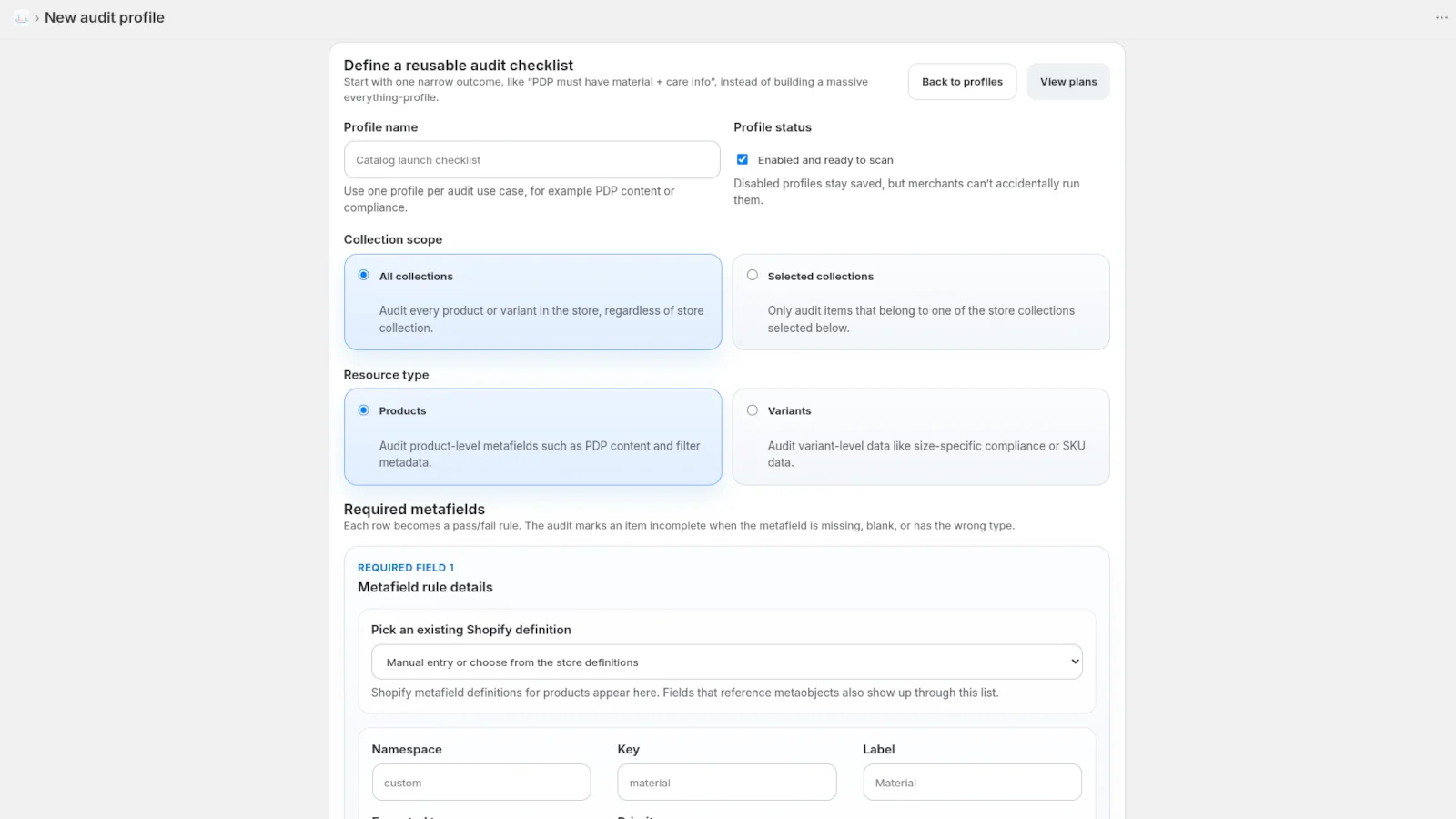
1. Create an Audit Profile
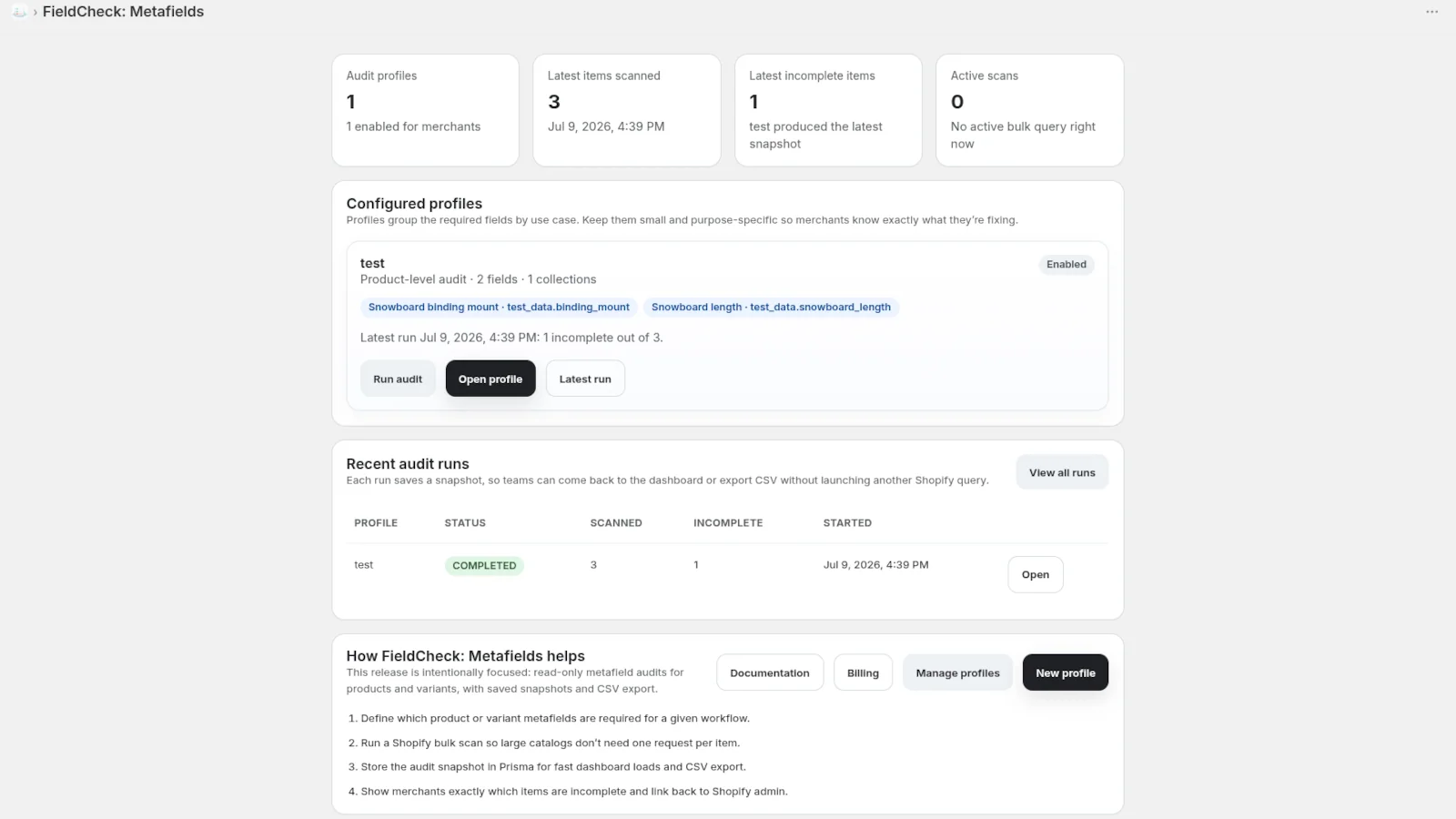
Start by choosing what you want to check. An audit profile defines the metafields that should be filled in for a particular task or part of your catalog. For example, you might create one profile for product content, another for filters, and another for feed-related fields.
2. Select What You Want to Audit
Choose the products or collections you want to review. FieldCheck can check both products and their variants.
3. Run the Audit
FieldCheck scans the selected catalog items and checks whether the required metafields contain values.
4. Review Missing Data
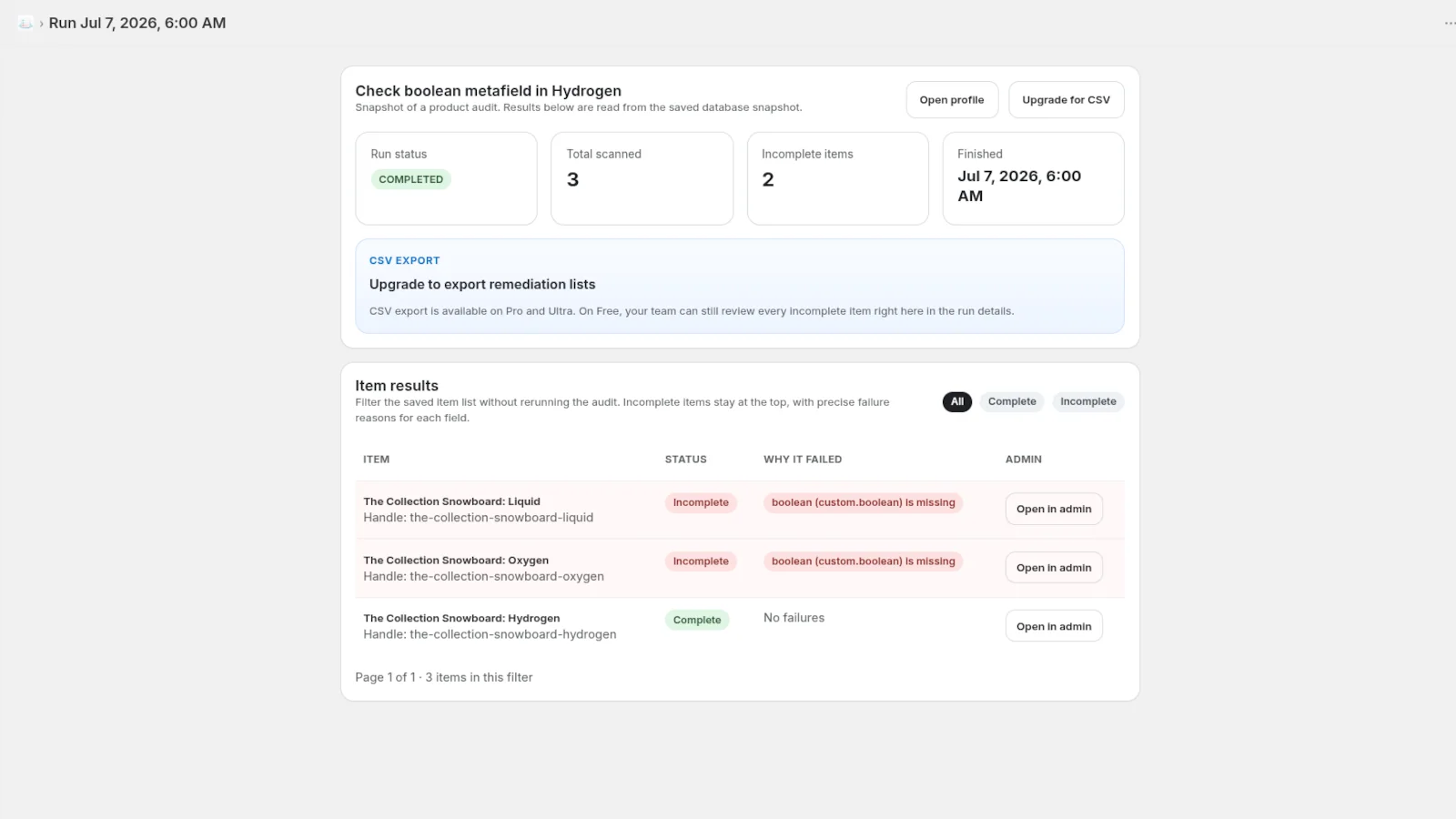
The audit results show which products or variants are incomplete and which specific metafields are missing. This makes it much easier to understand what needs to be fixed without opening every product manually.
5. Fix the Product in Shopify
Open the affected product directly in Shopify Admin and add or correct the missing information. FieldCheck itself does not overwrite your product data automatically, so you stay in control of every change.
6. Recheck or Export the Results
Once changes are made, you can run the audit again. You can also save audit results and export them to CSV when the issues need to be shared with a developer, content manager, SEO specialist, or another member of your team.
Get More Control Over Your Shopify Metafields
Make catalog quality easier to manage and find missing metafields before they affect product pages, filters, feeds, or custom storefront functionality. With FieldCheck: Metafields, you can audit products and variants in bulk, create custom audit profiles, review missing required fields, and export results for your team. Want to try the free version or need help getting started? Contact us today.
