

Description
Why Your Store Needs Product Comparison
When customers can’t easily compare similar products, they often leave your website to continue their research elsewhere. Switching between multiple product pages takes time and makes the buying process more complicated.
Without a comparison feature, shoppers may postpone their purchase, abandon their cart, or choose a competitor that makes product selection easier.
Help Customers Choose with Confidence
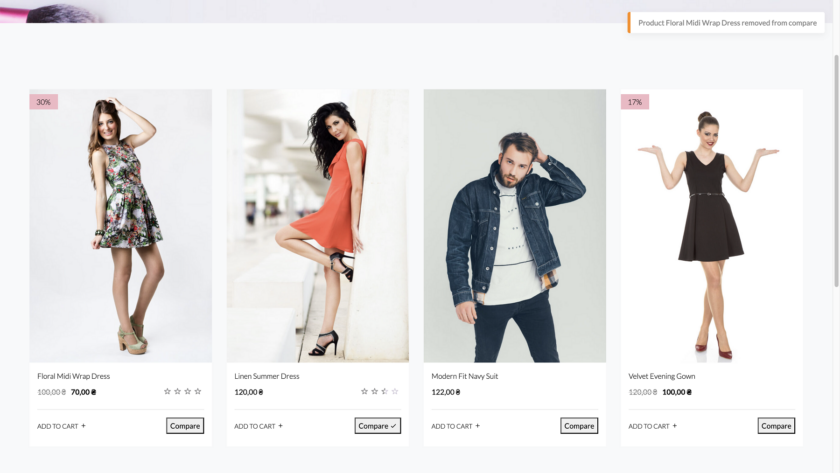
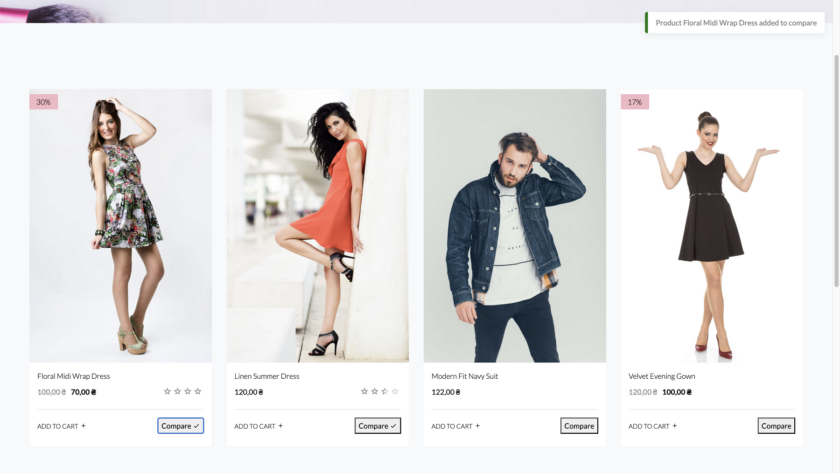
Our WooCommerce Product Comparison Plugin adds a clean, customizable comparison table to your store, allowing visitors to compare products side by side. Customers can quickly review specifications, prices, attributes, images, and other key details without opening multiple pages.
The plugin is fully customizable – you can choose which fields to display, customize the comparison layout, and enable or disable comparison for specific product categories. By making product selection faster and more transparent, you improve the customer experience while helping visitors make confident purchasing decisions.
Want to try the free version of our plugin? Get in touch and leave your contact details, and we’ll send it right over.
Advantages of Using the WooCommerce Product Comparison Plugin in an Online Store
Choosing between similar products can be difficult for customers. The WooCommerce Product Comparison plugin allows visitors to compare multiple items side-by-side, making it easier to evaluate features, prices, and specifications before making a purchase. By giving customers a clear overview of product differences, your store becomes easier to navigate and more transparent – which often leads to higher engagement and increased conversions.
Why Add WooCommerce Product Comparison to Your Store?
- Eliminate Choice Paralysis. Help your customers make informed decisions by comparing technical specifications, prices, and features side-by-side. This clarity speeds up the selection process and reduces the likelihood of cart abandonment.
- Enhance User Experience. A professional comparison table keeps users on your site longer. Instead of switching between multiple tabs, customers get a streamlined interface to evaluate their options, leading to higher trust and satisfaction.
- Native Performance & Seamless Integration. Engineered by DITS.agency for zero impact on site speed. The plugin integrates natively with your product archives and single product pages, allowing full customization of button styles and table layouts to match your brand’s identity..
Designed for WooCommerce Stores
The plugin is built to handle everything from small catalogs to large-scale online stores. It helps visitors find the right product faster, allowing them to complete their purchase with confidence.
Want to try the free version of our plugin? Get in touch and leave your contact details, and we’ll send it right over.
Modal window and adding a product:
- Opening a comparison table in a modal window
- The ability to automatically open a modal window when adding a new product.
- Adding a product to the comparison table from the product detail page and/or product page.
- Two display styles: link or button.
Dynamic comparison and detailed product information:
- Product image in comparison widget.
- Comparison fields become dynamic: attribute fields will be displayed if they are specified for at least one of the products being compared. Otherwise they will be hidden.
- Compare products even by custom attributes created within the product.
- Displaying the product article in the comparison table.
Additional widgets and shortcodes:
- Creating a dynamically generated shortcode that shows a comparison table of specific store products.
- A widget that shows a complete list of products added to the comparison tab.
- Widget and shortcode for displaying a counter of products added to the comparison table (New).
Selection and setting:
- Select product fields to include in the comparison table.
- Ability to add “Price” and “Add to Cart” fields to the end of the table.
- Setting the size of product images in the comparison table.
- Ability to display a comparison table on the store page.
- Opens a modal window only after adding at least two products to compare.
- Sorting products in the comparison table by category.
- Limiting plugin functionality to certain product categories only.
- Adding an image to the top of the comparison table.
- Style settings.
Exchange and interaction:
- The function will share the Compare page on the most famous social networks (Facebook, Twitter, Google+, Pinterest or email).
- The ability to show in the slider all products that have a common tag and/or category with products in the comparison table.
Table display and constraints:
- Ability to select the number of fixed columns on the comparison tab.
- Ability to limit the number of products that can be added to the comparison table.