Skip to content Skip to footer
Google Sheets to WooCommerce Importer PRO

Google Sheets to WooCommerce Importer PRO

AI-Powered Google Sheets to WooCommerce Importer PRO Seamless Product Sync & Automated AI Copywriting

Stop wasting weeks on manual data entry. Google Sheets to WooCommerce Importer PRO is the most advanced, user-friendly, and powerful tool designed to synchronize your inventory directly from Google Sheets to WordPress.

Whether you are a small shop owner or managing an enterprise-level marketplace, our plugin automates the hardest part of e-commerce: Product Import/Creation & SEO Copywriting.

Why Your Business Needs This Solution

Manual product management slows your business down and limits growth. As the 1st WooCommerce import plugin with a built-in AI content assistant, our solution automates product imports and generates SEO-ready descriptions in one workflow, keeping your store accurate, scalable, and efficient.

Advantages of Using the "Google Sheets to WooCommerce Importer PRO" Plugin

Easy Setup Wizard

Get started in less than 2 minutes with a guided setup process. No complex configuration or technical setup required.

Google Sheets Integration

Connect your Google Sheets directly to WooCommerce and manage your product data from one place.

AI-Driven Content & SEO

Generate SEO-optimized product descriptions with AI. Control your brand voice using custom prompts and publish search-friendly content that supports organic growth.

Built for Scale

Filter queries by date range or popularity and export the data as CSV for detailed analysis or reporting.

Real-Time Product Sync

Update products, prices, and stock levels in real time with just a few clicks. Sync changes automatically or on a schedule to keep your store data accurate without manual work.

Clean & Simple UI

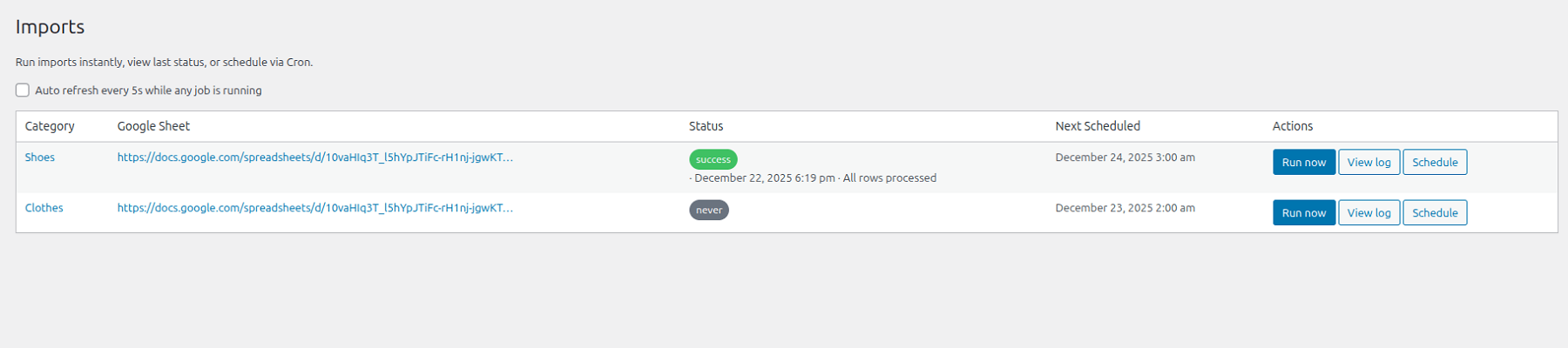
Manage your imports through a clear and intuitive interface. Easily control products, updates, and sync settings in one place.

Key Features & Capabilities

Everything you need to manage product imports, inventory updates, and content generation in one streamlined workflow. Built for scalability, accuracy, and day-to-day efficiency in WooCommerce stores of any size.

  1. Unlimited product imports to scale your catalog without limits or extra fees.
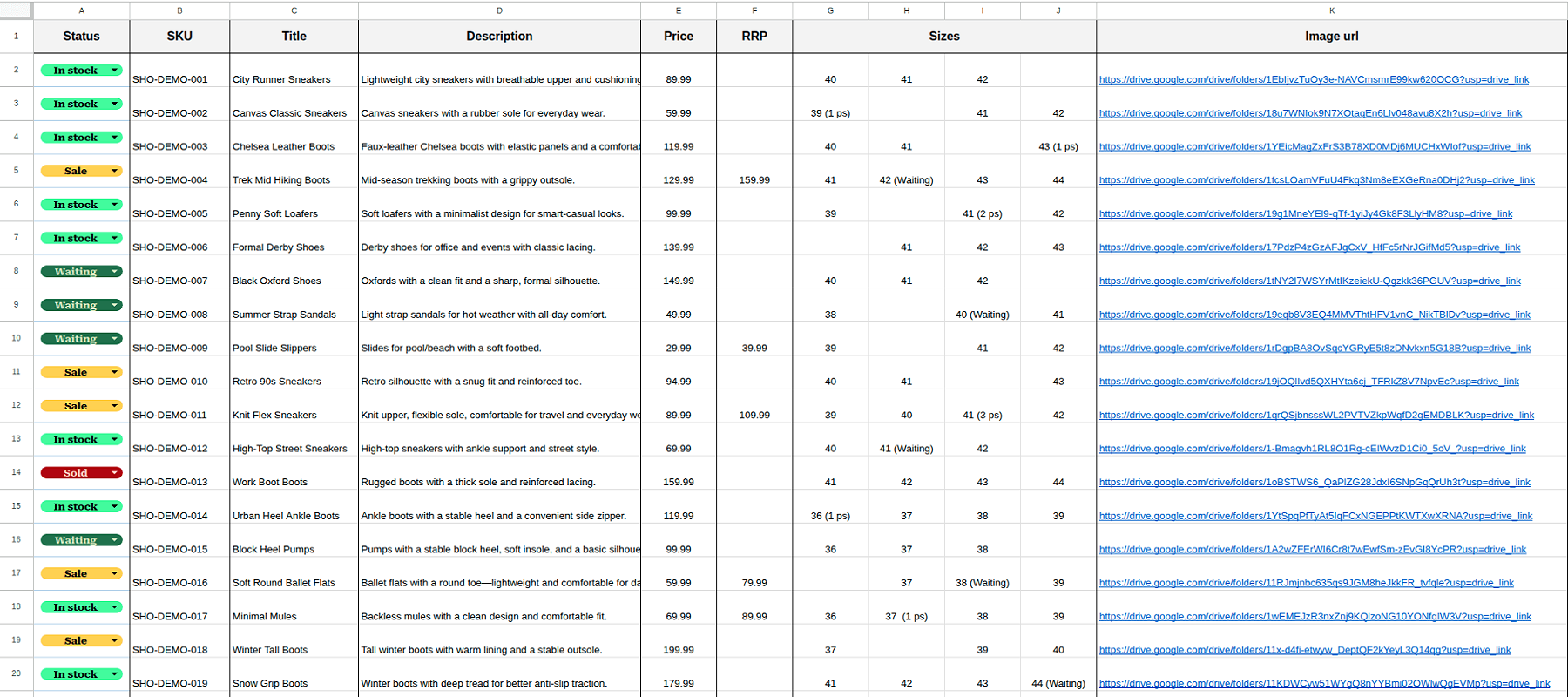
  2. Automatic product data sync including prices, stock, SKUs, attributes, and images directly from Google Sheets.
  3. Scheduled inventory updates to keep your store accurate with no manual work.
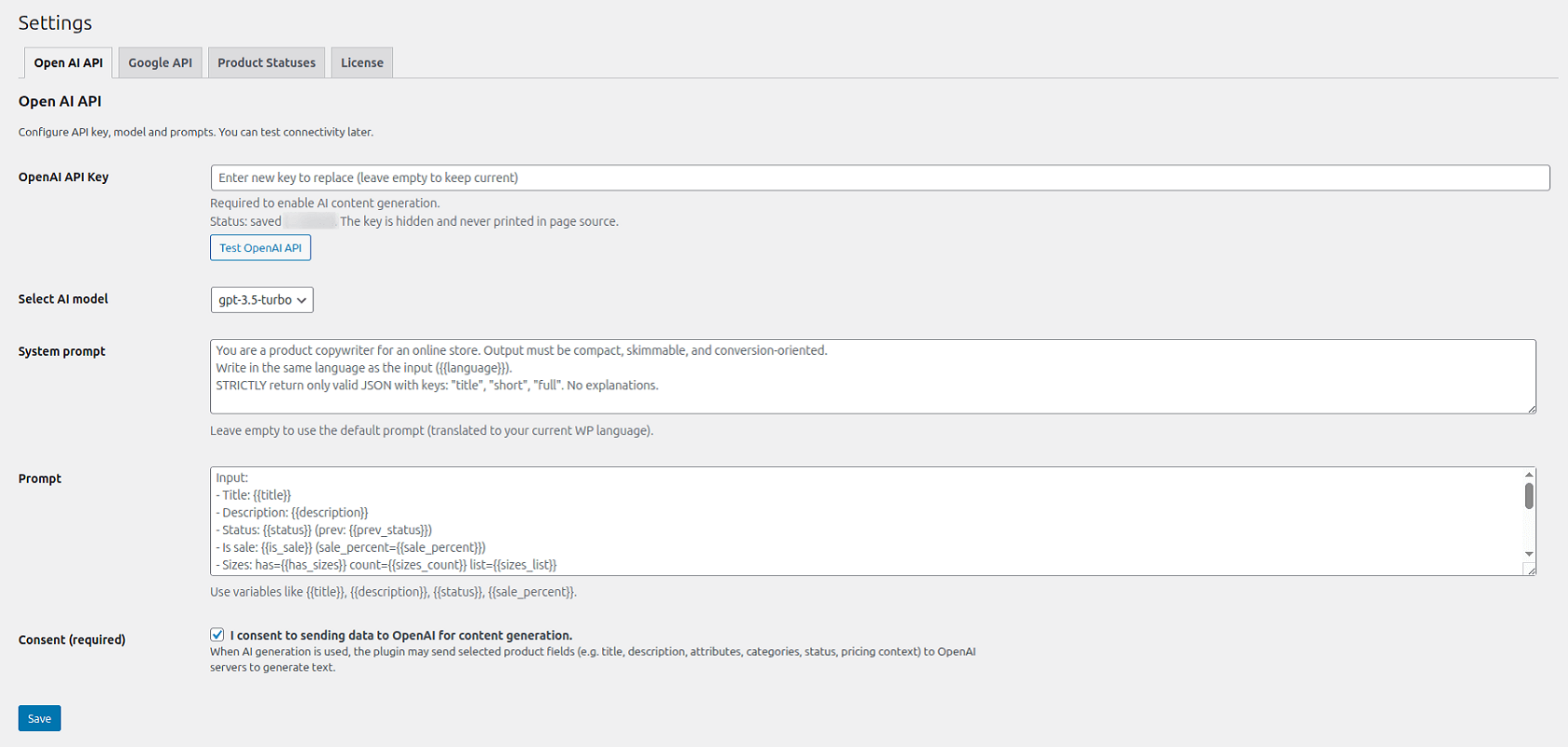
  4. AI-powered content generation using built-in prompts or your own, giving you full control over product descriptions.


Google Sheets to WooCommerce Importer PRO delivers the efficiency of an entire content management team within a single, powerful plugin.

FREE vs PRO: Choose Your Power

Whether you are just starting your e-commerce journey or managing a massive marketplace, we have the right tools to fuel your growth.

Free Version: The Perfect Start

Ideal for small shops and testing out core features. Get a foundational set of automation tools without any initial investment.

  1. Google Sheets: Connect 1 sheet per website for centralized management.
  2. Product Capacity: Import unlimited products—we never restrict your catalog size.
  3. AI Copywriter: Use basic or custom prompts to generate product descriptions automatically.
  4. Seamless Sync: Direct synchronization of images and galleries from your sheets to WooCommerce.
  5. Update Mode: Manually trigger synchronization whenever you need it.
  6. Stability & Speed: Optimized algorithms to handle large datasets without overloading your server.

PRO Version: Maximum Automation

Designed for those who value their time and want to eliminate manual routine entirely. The PRO version transforms your store into a fully autonomous system.

  1. Unlimited Sheets: Connect as many sheets as you need for different categories or suppliers.
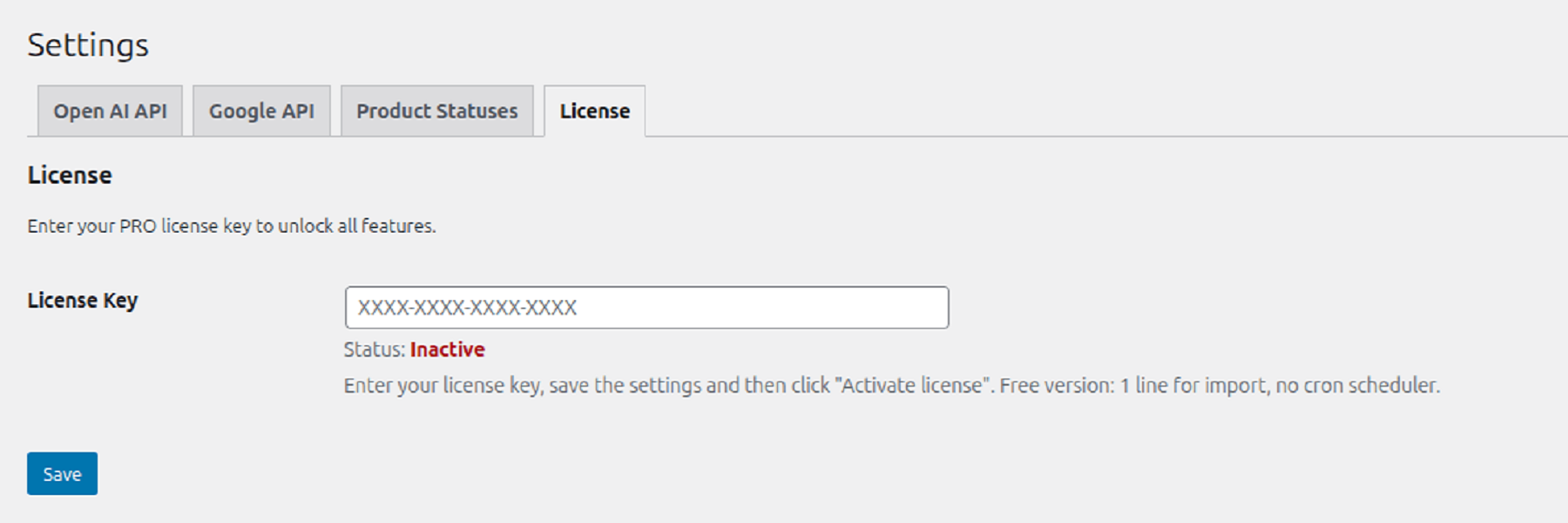
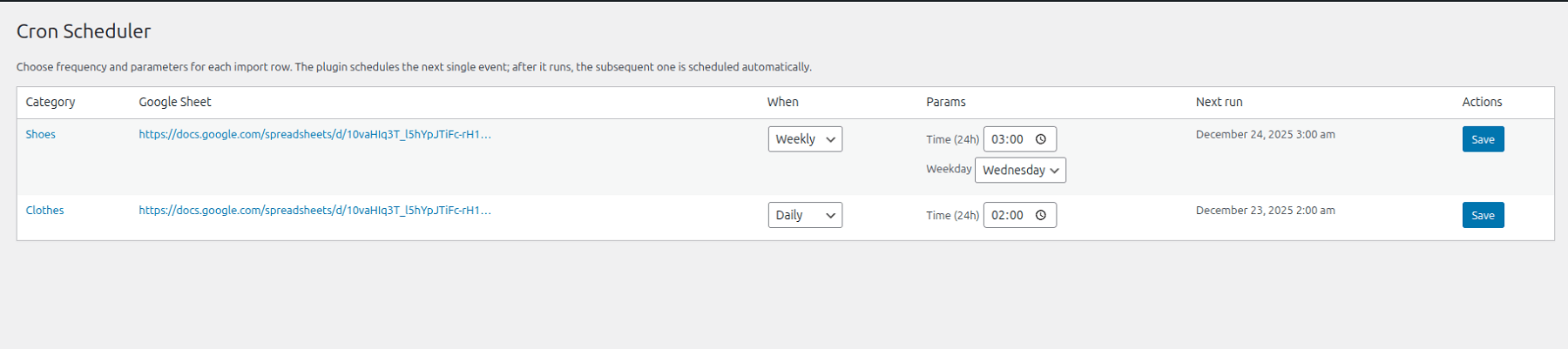
  2. Full Autonomy: Forget the “Update” button. Set a schedule (daily /  weekly / monthly), and the plugin handles everything automatically.
  3. AI Copywriter: Access the same powerful basic or custom prompts to scale your content generation.
  4. Limitless Scalability: Seamless support for an unlimited number of products with professional-grade performance.
  5. Stability & Speed: Enhanced optimization for high-volume data processing, ensuring your server remains fast and responsive.

FREE vs PRO

FeatureFree VersionPRO Version
Google Sheets1 Sheet per WebsiteUnlimited Sheets
Product CapacityUnlimited ProductsUnlimited Products
Update ModeManual TriggerAutomated (Daily/Weekly/Monthly)
AI CopywriterBasic PromptBasic Prompt
Images & GalleryDirect SyncDirect Sync

How it Works

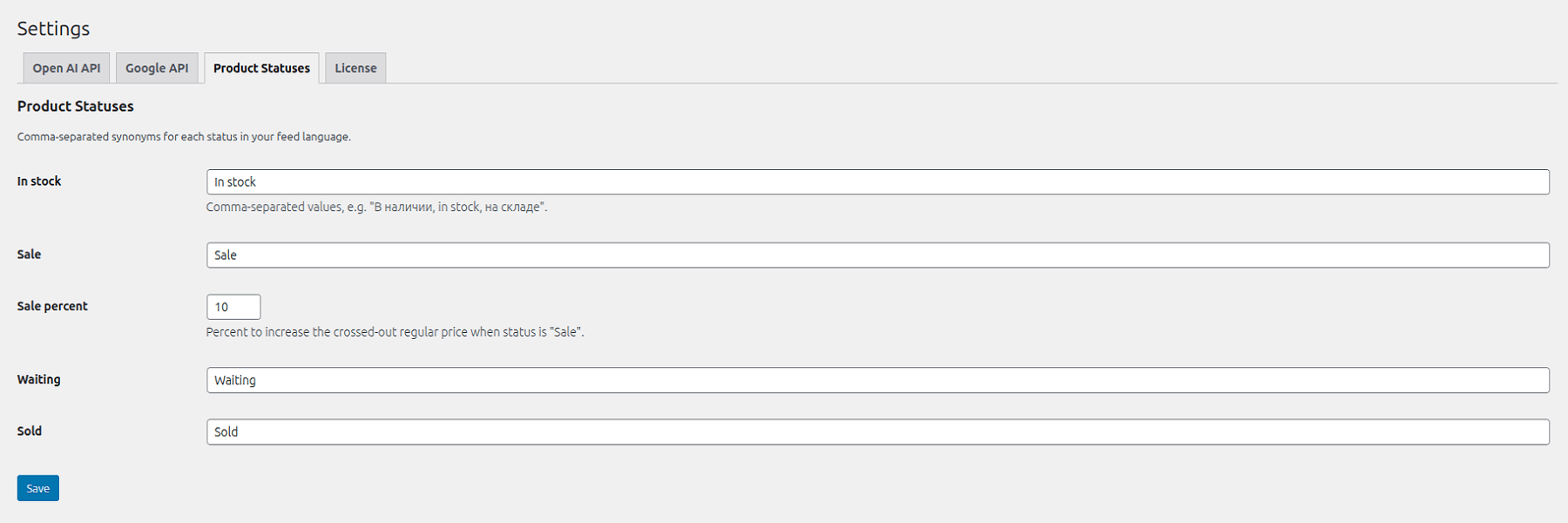
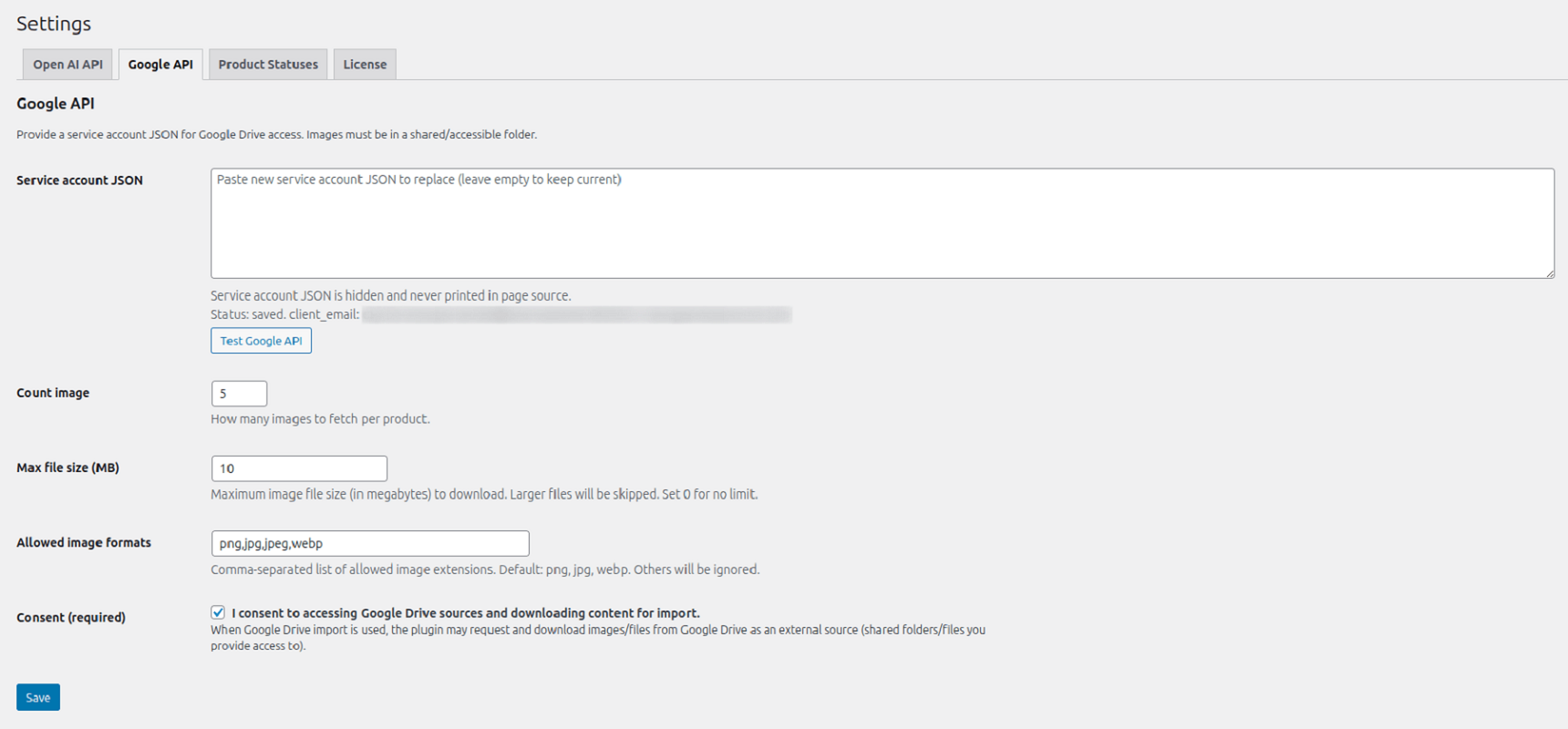
  1. Installation & Initial Setup. Once the plugin is installed, navigate to the Settings section to configure the core integrations. You will need to provide your OpenAI API key and Google API credentials to enable full functionality.
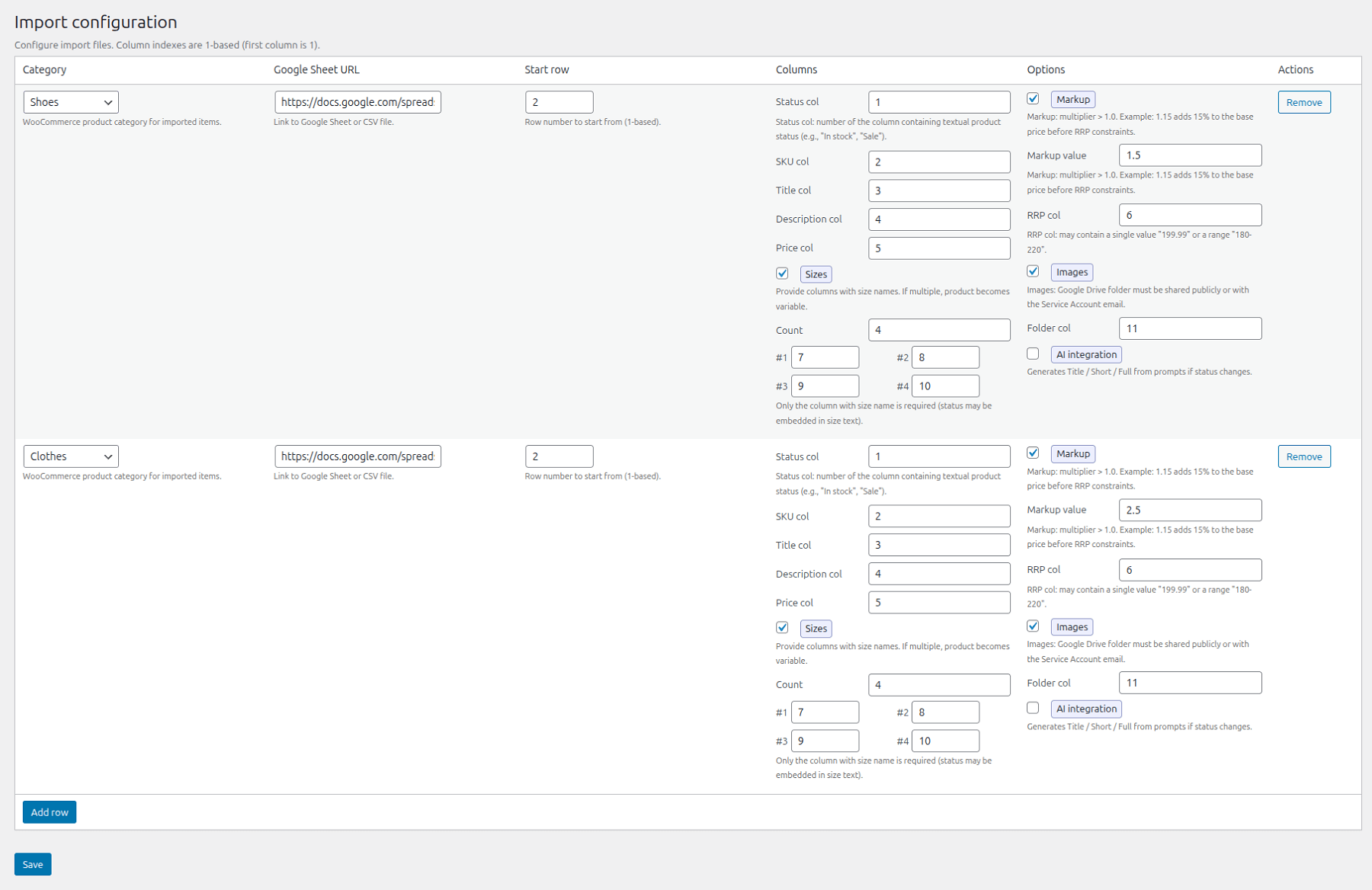
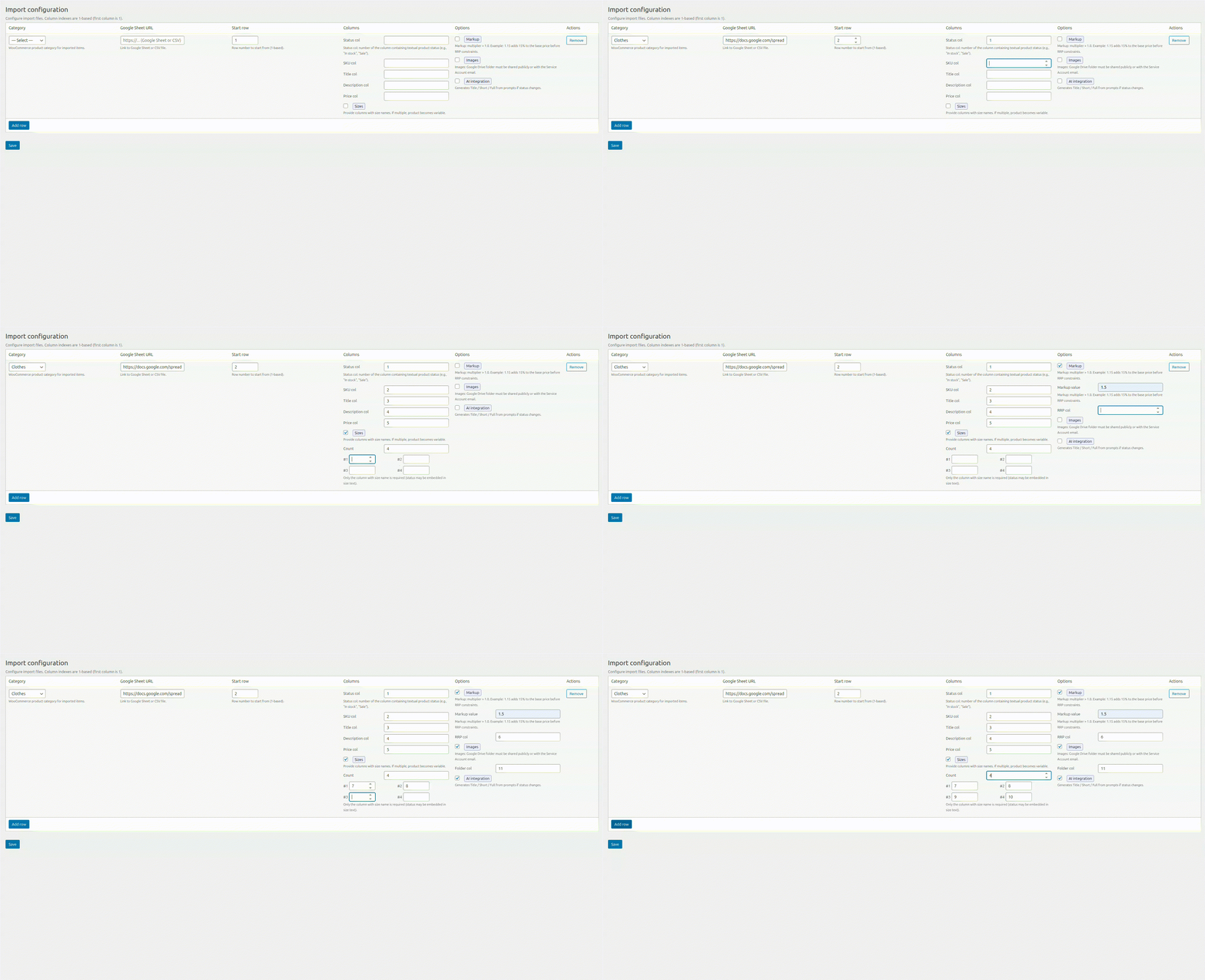
  2. Configure the Google Sheet Import. Add your data source in the Import section by following these steps:
    2.1. Category Selection: Choose the appropriate product category for the import.
    2.2. Data Source: Provide the Google Sheet URL.
    2.3. Entry Point: Specify the starting row for the data processing.
    2.4. Field Mapping: Map your spreadsheet columns to the corresponding WooCommerce fields.
    2.5. Size Charts: Attach a size guide table (optional).
    2.6. Price Adjustment: Optionally apply a price markup by specifying a coefficient and the column index for the “Recommended Price.”
    2.7. Media Sync: Specify the column index for importing images directly from Google Drive.
    2.8. AI Enhancement: Enable AI content generation to automatically create optimized product descriptions.
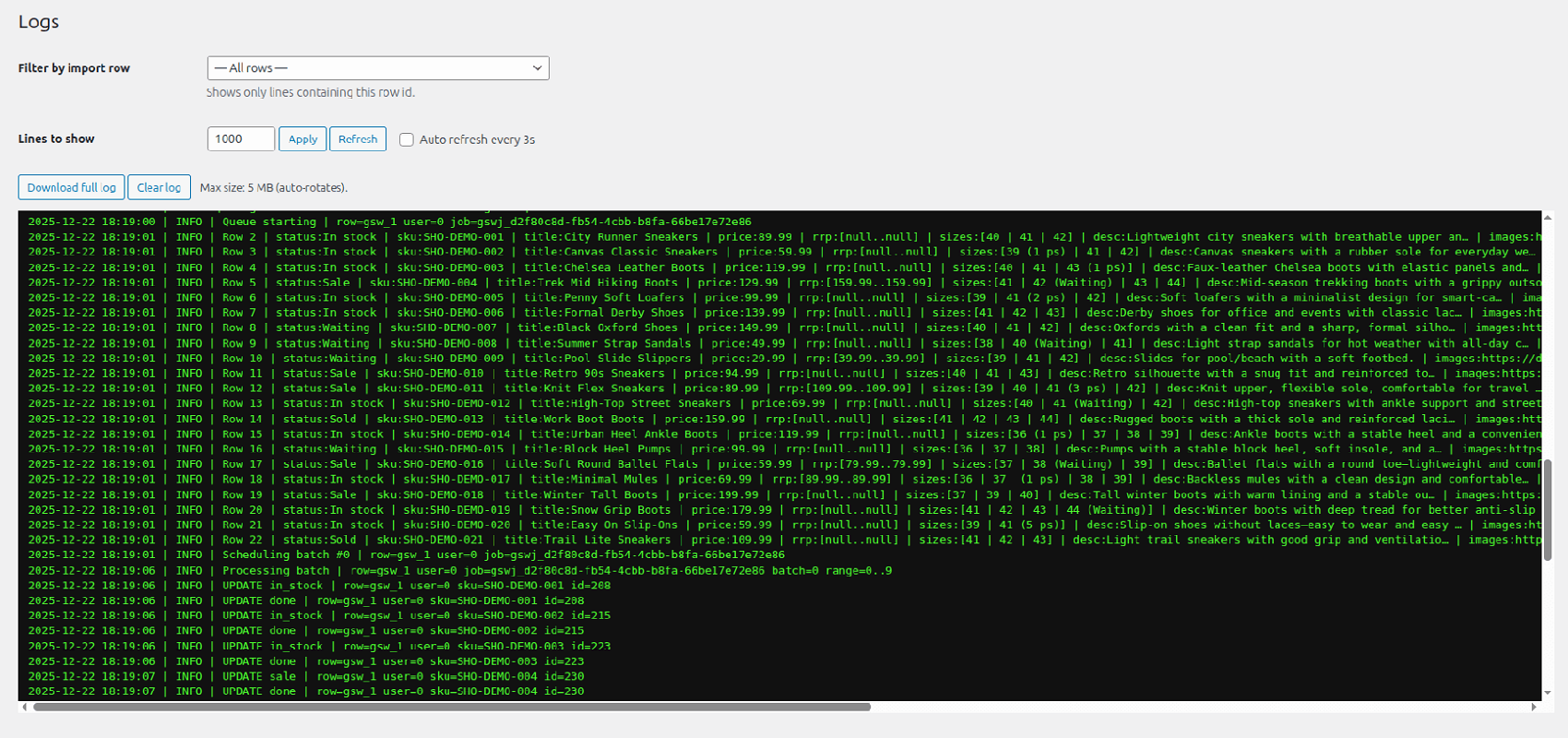
  3. Execution & Review Activate the Import/Update process. Once completed, review the results in your WooCommerce store to ensure all data has been synchronized correctly.

FAQ

Yes, the OpenAI API is a commercial service, and you must have your own API key with a positive balance to generate content.

Content can be generated in the website’s primary language, regardless of which language is used. Furthermore, you have the flexibility to specify a target language within the prompt configurations for content generation.

Yes. Once a product has been successfully imported into the system, subsequent updates are restricted to stock levels and pricing.

However, there is an automated exception: if a product’s status changes (e.g., from “In Stock” to “Sale” or vice versa), the system will refresh the content to include specific promotional texts. In all other scenarios, only the status, price, and inventory levels are modified, leaving the core descriptions untouched.

There are no technical limitations imposed by the plugin. Thanks to an optimized codebase, the plugin processes data in manageable chunks (batches), which prevents server overload even when importing thousands of items simultaneously. You can import an unlimited number of products, including files containing well over 1,000 entries.

Yes, the process is entirely secure. The plugin operates via an encrypted connection to ensure data integrity. By using the “view-only” access protocol for your links, you maintain the confidentiality of your commercial data while preventing unauthorized modifications.

Furthermore, the system implements a strict multi-stage validation process: all data is thoroughly checked for errors and security vulnerabilities before it is imported. Only verified data is uploaded to your website, ensuring a safe and reliable synchronization.

Yes! To ensure the best user experience, we have fully translated the plugin interface into English, Spanish, Ukrainian, and Russian. You can manage all your import settings in your native language.

Have a cool project?
Get in touch!

Contact us